Tuva Tools v3.5.1
Released 9/17/2025
Version 3.5.1 is a minor release that introduces small enhancements to Tuva Tools and Tuva Jr., along with critical usability and accessibility improvements.
Tuva Tools and Tuva Jr.
-
Plot Summary in Screenshot:
When users take a screenshot of a plot, the pop-up now displays the existing Plot Summary in a text box. This serves as a ready-to-use alt-text (or description) for the plot.
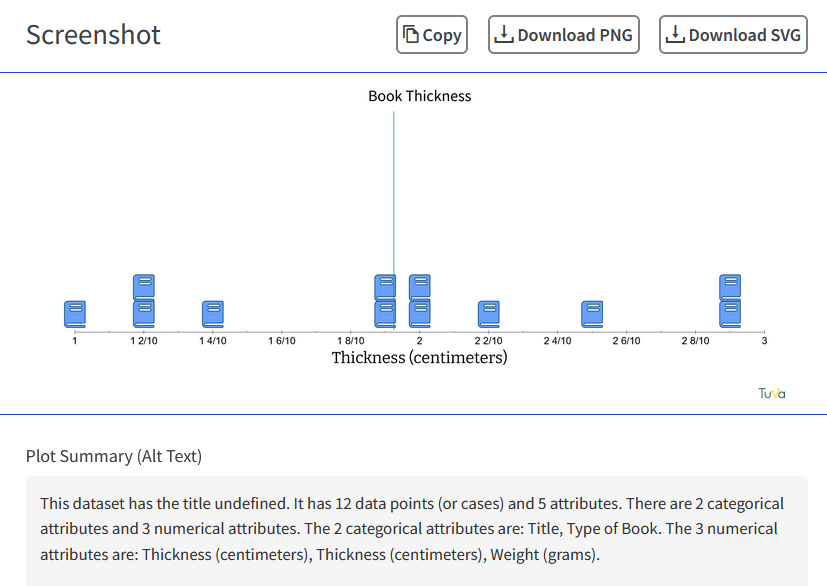
Note: This feature is still in progress, and the team is streamlining it further. - Translation Support: We have added translation support for several tool elements. This update improves usability and strengthens inclusivity for a wider range of users.
-
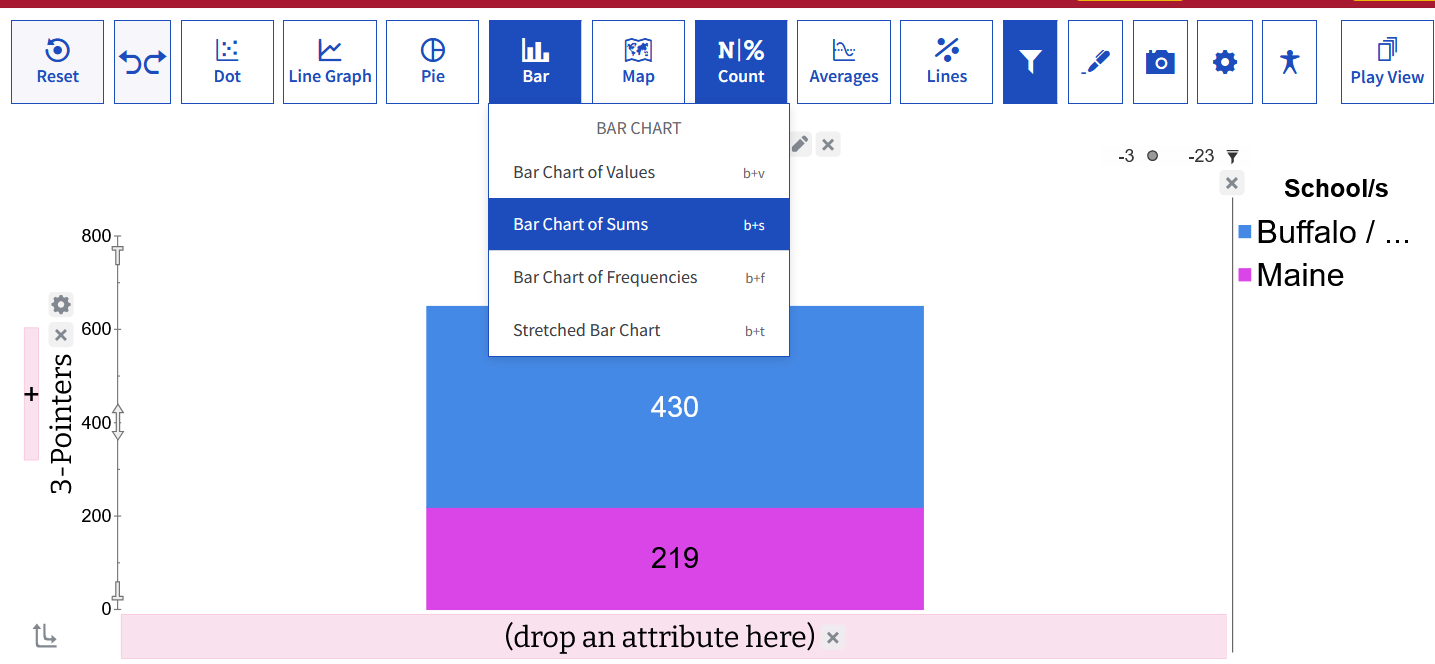
Bar Chart of Sums in Tuva Jr: We have surfaced the Bar Chart of Sums in the Tuva Jr. Plot View. As a stacked bar chart, it helps K-5 students visualise addition, totals, and part-whole relationships, supporting early number sense and fraction concepts. The Bar Chart of Sums can be accessed from the toolbar in the Bar menu.
-
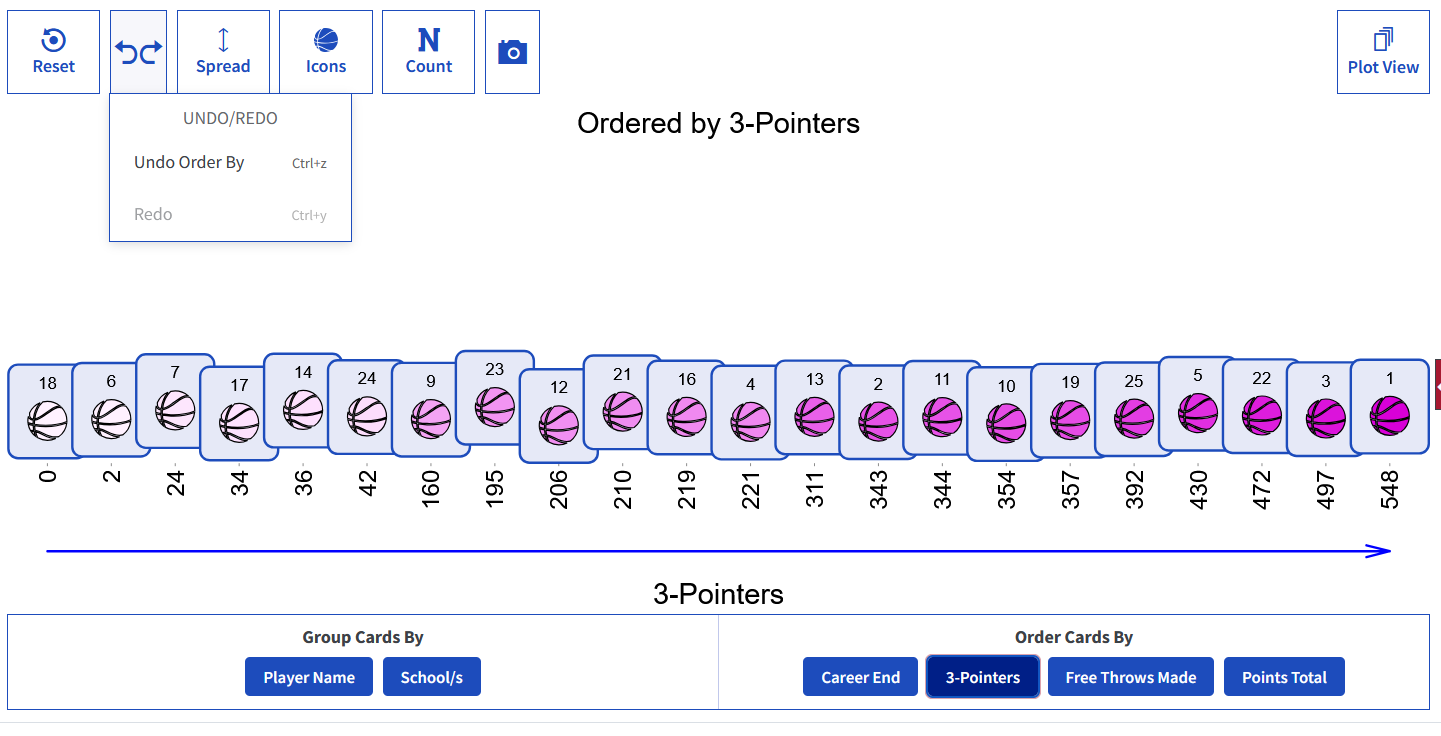
Undo/Redo Support in Play View: We have introduced Undo/Redo in Play View, and it works reliably across key actions, including drop card, spread, counts, icons, group by, and order by.
Accessibility
-
Chart Semantics (ARIA):
- Parallel Box Plots: Parallel box plots now include category info in ARIA (matching the tooltip), so screen readers announce attribute + category.
- Filtered Icons: You can now tab to the “Missing” and “Filtered” icons, and screen readers read out how many cases are missing or filtered (e.g., “72 missing, 116 filtered”).
-
ARIA improvements across interactive controls:
- Axis Sliders: Axis sliders now have proper ARIA role, value, and orientation (vertical where needed), so screen readers read them correctly.
- Case Selection: Cases now have proper ARIA roles and labels, so screen readers recognise they're clickable/selectable and announce selected/not selected.
- Legend Separator: The divider between the plot and legend now uses the ARIA separator role with a label and min/now/max values, so screen readers announce its role and position correctly.
Bug Fixes
This release includes several bug fixes. The major ones are:
- Color Picker: Fixed an issue where clicking the colour circle didn't open the picker; it now opens as expected.
- Filter: Fixed an issue where the filter failed to remove non-selected cases; it now filters correctly.
- Legend Marquee Selection: Fixed an issue where drag-selecting (marquee) over a numeric legend caused the selection to jump when “Missing” cases were listed below on the right; selection now behaves correctly.
- Modeling Card: Added spacing below function error messages so they no longer touch the border or adjacent function blocks.
- Y2 Reference Line: Restored the missing menu control so Add Reference Line on Y2 works again.
- Toolbar Bottom Border: Restored the toolbar's missing bottom border.
- Graph Type Question (Chrome): Fixed an issue where the graph type question was not saving the graph images correctly; it now saves properly.