Tuva Tools v2.15.2
Released 12/2/2022
This minor release focuses on a bunch of big and small enhancements to the existing features to improve the user experience along with fixing a few bugs.
Changed:
-
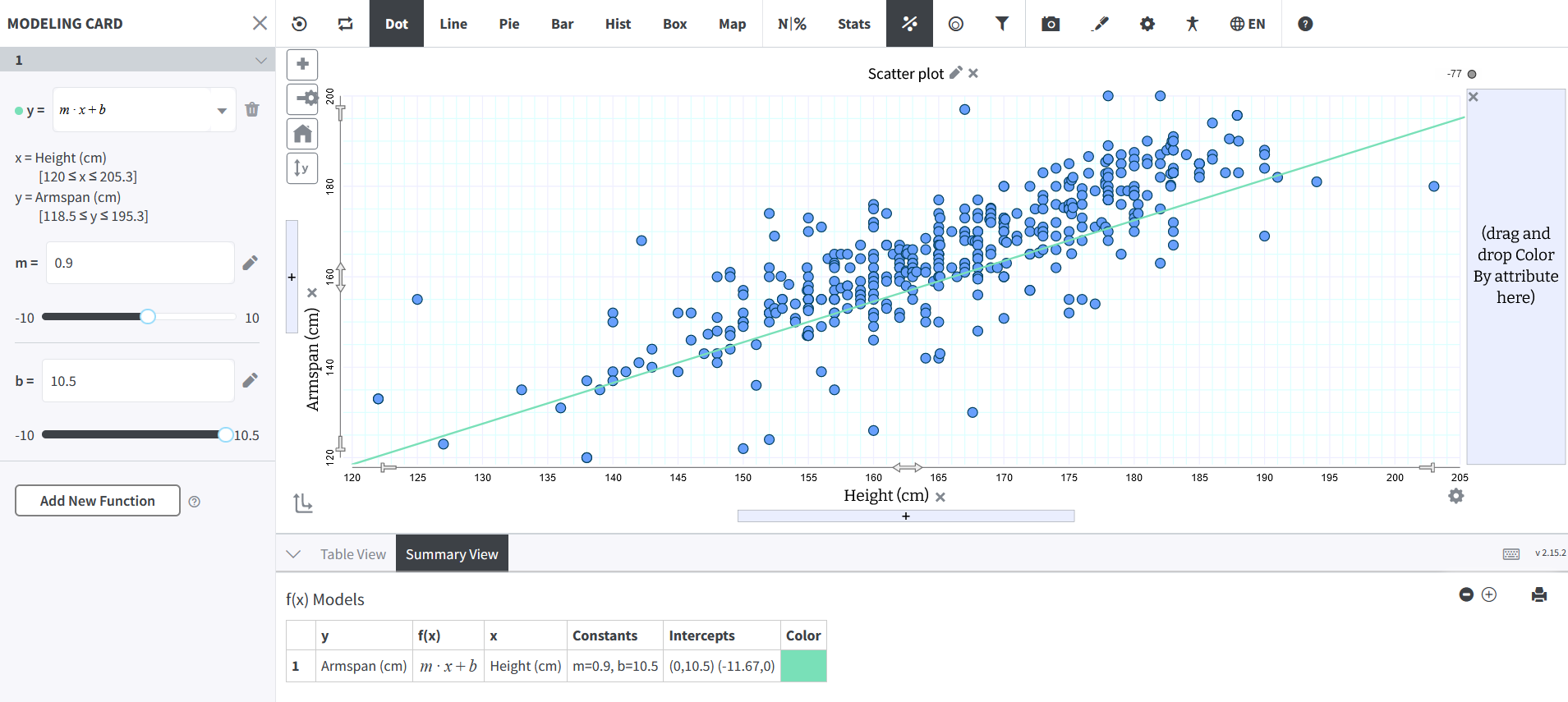
Saving and Restoring a Plot with a Card or Table Open: In order to give content creators
more flexibility, we have added the facility to save and restore a plot with a Card or Table open. For
example, in the graph below both the Modeling Card and the Summary Table are open. When the creator saves
it and reopens the saved plot, the card and the table continue to stay open.
However, this enhancement does not extend to the Sampling Card yet and will be supported in a later release. -
Addition of Bin Controls to the Histogram Context Menu: The Histogram Control Menu has an
additional component in the form of Bin Controls now.
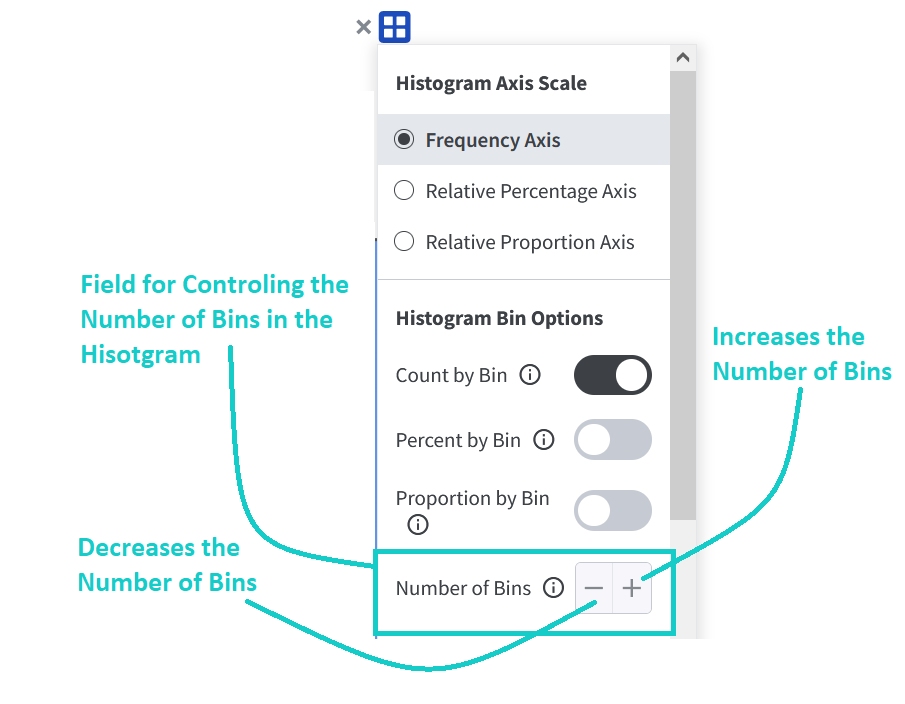
The users can click the plus button to increase the number of bins and click the minus button to decrease the number of bins. -
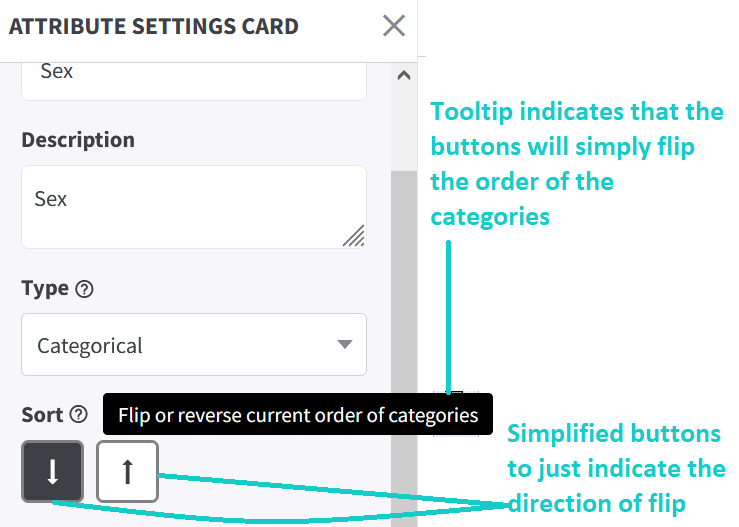
Enhancements to Sort Icons in Attribute Settings Card: We modified the design and the
associated tooltips of the Sort buttons for both categorical and quantitative attributes to make them more
intuitive and to also convey to the user their exact functionality.
Modifications Made to the Sort Buttons for Categorical Attributes
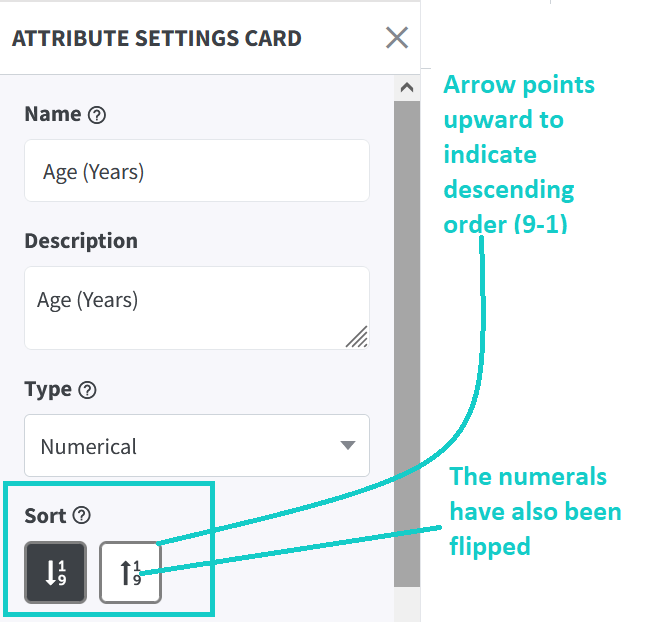
The tooltip was modified to inform the user that the buttons simply reverse or flip the order of the categories, whether the order is default or user-defined (by dragging categories). The alphabets were also removed from the sort buttons as they were misleading. Alphabetical ordering only happens in certain situations.
Modifications Made to the Sort Buttons for Quantitative Attributes
The direction of the arrow in the button for sorting the values of a quantitative order in descending order has been flipped by 180 degrees. Further, the numerals have also been flipped to indicate that the values decrease in magnitude as one moves in the direction of the arrow.
-
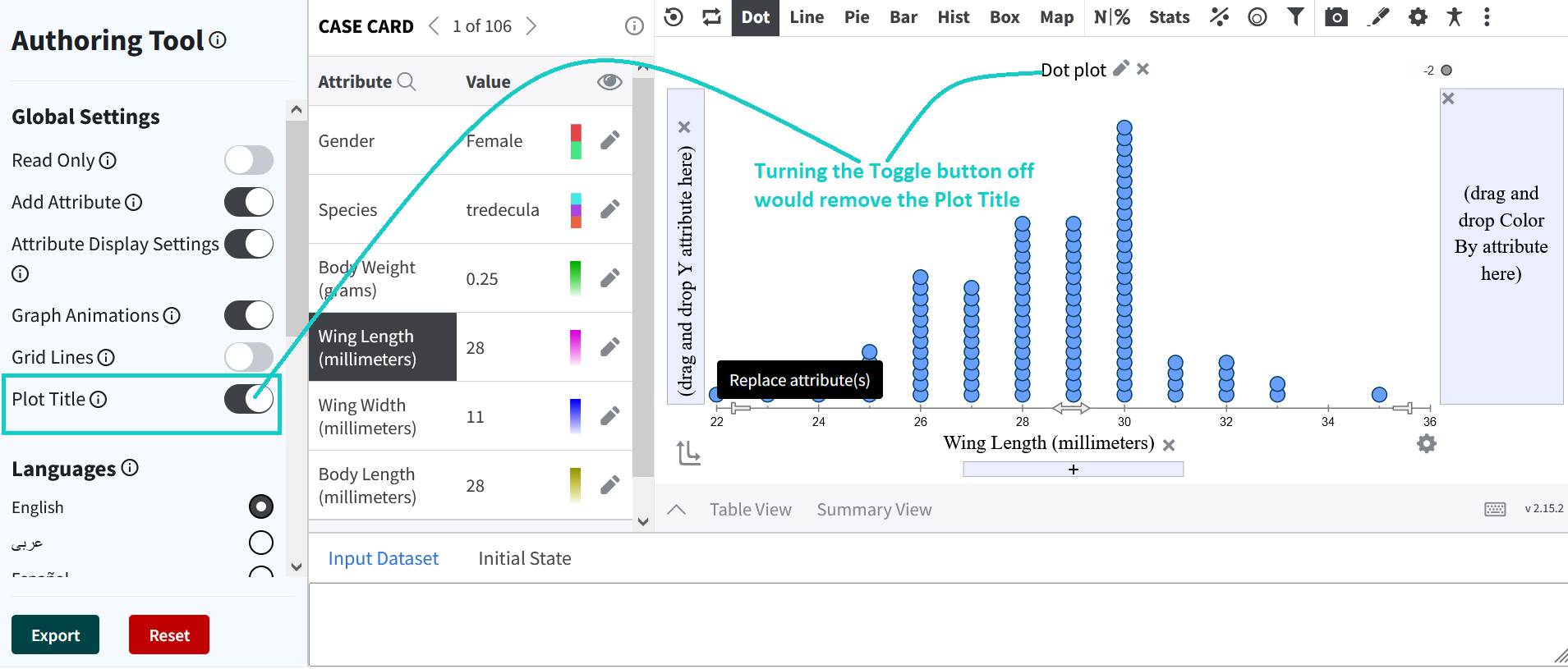
Support for Enabling or Disabling Plot Title via the Authoring Tool: An additional toggle
was added to the Authoring tool to allow content creators to remove the default plot tile from the
graphing area.
Bug Fixes:
-
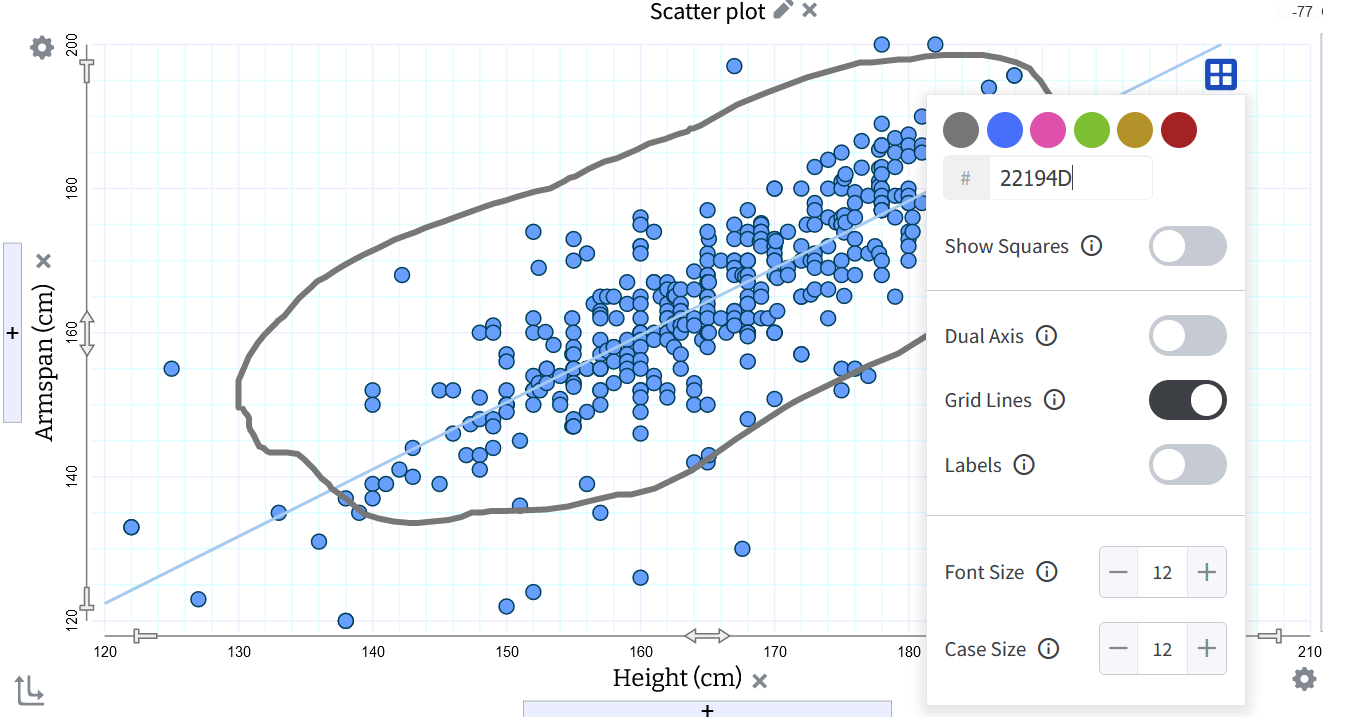
Parity between Multiple Context Menus: An issue with an action not being synced across
multiple context menus has been resolved.
For example, in the plot below, there are two objects each with their own context menu. Enabling the gridlines from one context menu would not sync with the toggle button in the other context menu. Now, both context menus respond in tandem.
- Scrolling Issues: We fixed a couple of bugs where the data table as well as the sample statistics were not showing the scroll bars.
-
Issue with Plot Title Edit Icon: We found and fixed a bug with the Plot Title Edit Icon
where the pencil was replaced by the Count and Percent menu icon.