Tuva Tools v2.16.1
Released 3/17/2023
This release focuses on finessing a few of the existing features and bug fixes to increase the usability and accessibility of the Tuva tool. An important element of the release is the addition of the Insert Data Instance feature to the Authoring tool that provides content creators the flexibility to create an empty data exploration environment, which will in turn allow students to use the insert data feature in partner apps.
Added:
-
Support for Creating Insert Data Instance: We added support for our partners to create an
insert data instance enabling them to create an empty data exploration environment, which will allow their
students to use the insert data feature. This will allow students to input data in the tables. The feature
can be accessed from a button added to the partners dataset page.
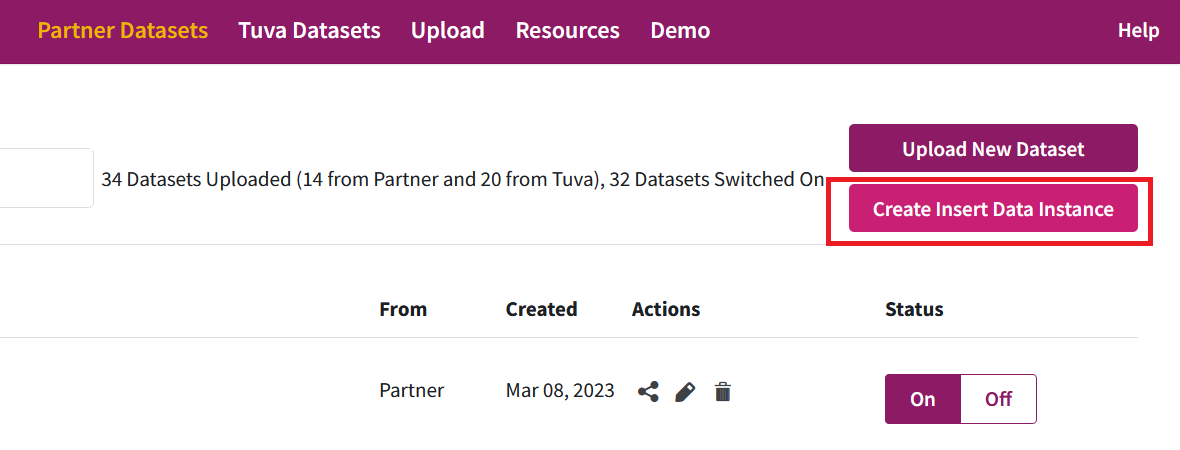
The content creators can further add a title and instructions for the insert data instance. - Translation Support for Dynamically Added Text: In continuation with our effort to reach out and cater to the needs of users from diverse linguistic backgrounds, we have identified and added new translations 17 dynamic plot elements. Furthermore, we also fixed a few issues with words that were not translating.
Changed:
-
Enhancement to the Formula Editor: We enhanced the formula editor by adding support for
the following formulas:
- Greater than
- Greater than or equal to
- Random
- Sine, cosine, tangent
- Pi and e
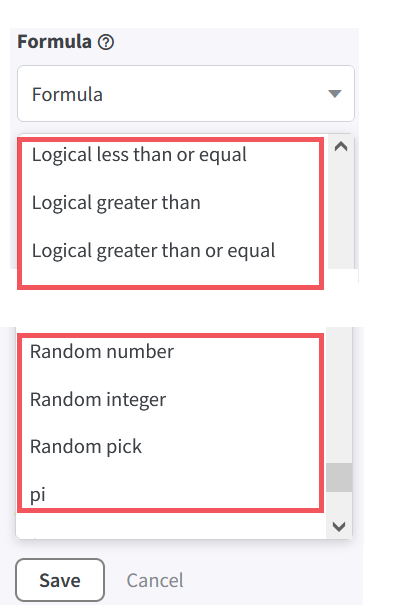
In this process, we also fixed an issue where when calculating sine, cosine, and tangent the algorithm was giving a value of 1.22 x 10^-16 instead of zero. We have now rounded these functions to 15 decimal places so it will return 0, which is the mathematically consistent value. - Further Enhancements to Text Box Annotation: We enhanced the text box annotation by adding controls for increasing and decreasing the font size, selecting the font color, and selecting the background color via the context menu. Additionally, we enhanced the controls for resizing the rectangular area of the text box and removed the font size control that was appearing in the corner of the rectangle and opted for using the font size control in the context menu.
-
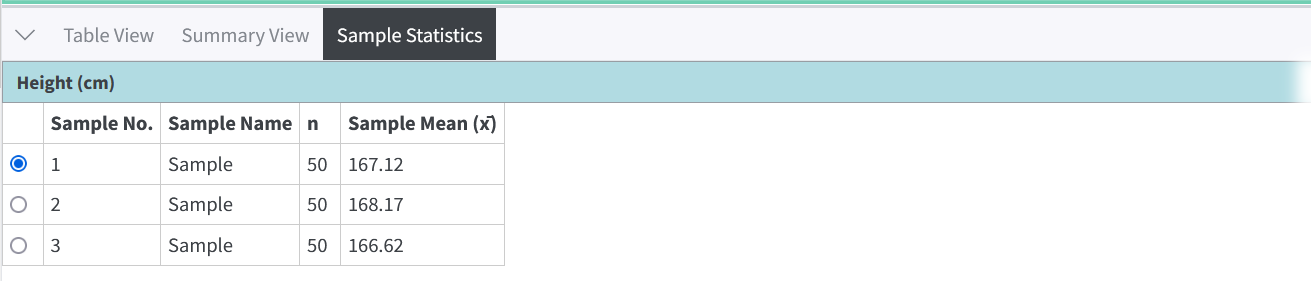
Enhancement to the Sampling Statistics Table: We have updated the sampling statistics
table to have the same consistent style as the summary view.
Bug Fixes:
- Issues with the LSRL: We identified and fixed an issue with the LSRL where the label in the toolbar menu was not getting highlighted after selection. Further, the Sum of Squares was not showing in the SUMMARY VIEW in certain scenarios and it was also fixed.
- Issues with the Movable Line: The context menu for the movable line was not displaying the toggle for Show Squares and the Sum of Squares was also not getting displayed in the SUMMARY VIEW.