Tuva Tools v3.2.1
Released 8/5/2024
This minor version of the Tuva tools brings enhancements and fixes to boost usability and accessibility. The primary updates include iteration on the color picker design for greater compactness and usability, the ability for users to switch from Play View to Plot View with a single click, and several accessibility enhancements. These updates align with our ongoing focus on improving the overall user experience and making the tools more accessible to all users.
Enhancements to Tuva Jr.:
-
Consistent Column Widths in Big Cards:
We fixed an issue in the play view where varying character lengths in attribute values caused column widths to differ when comparing two Big Cards. Now, the column widths remain equal regardless of the number of characters in the attributes.
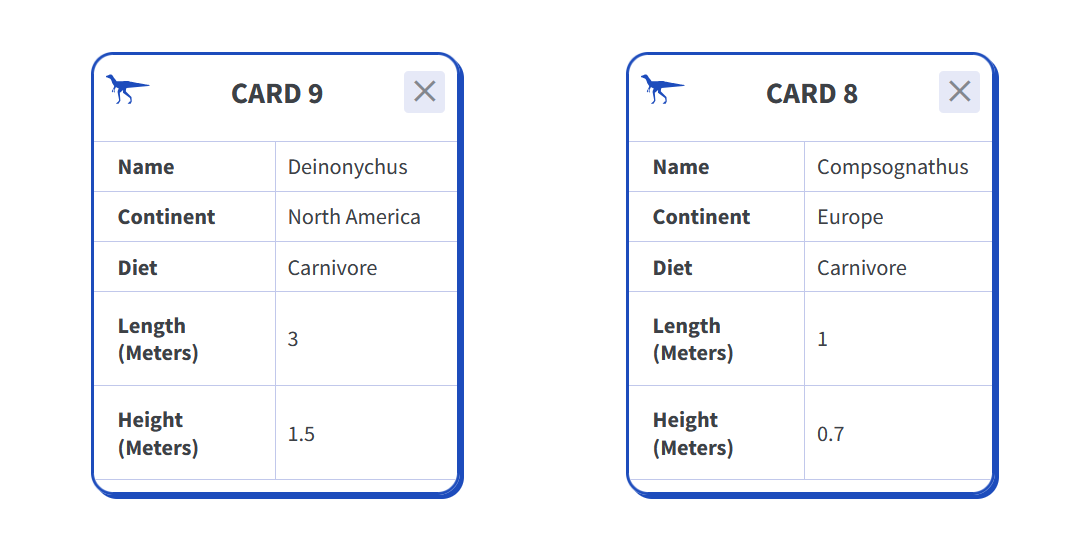
-
Enabled Switch between Play View to Plot View:
Users can now switch from Play View to Plot View with a single click, even without creating a visual in Play View.
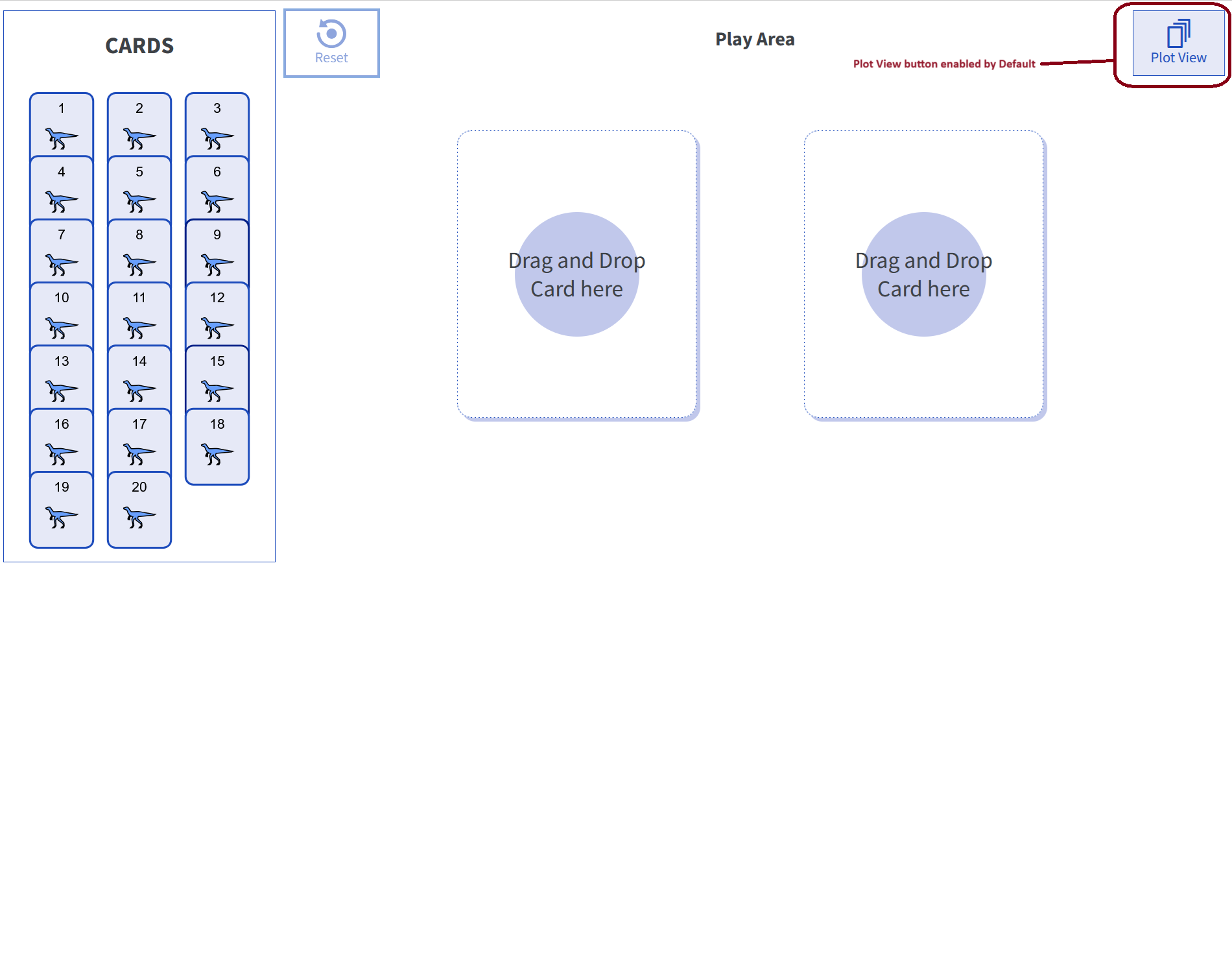
- Switching from Play View to Plot View without an Order-by or Group-by shows a mixed-up plot.
- If there is a big card or two, those cases will be selected in Plot View, with one of the cards displayed in the Case Cards. When switching back to Play View, the first two selected cases will be shown in the Big Cards.
Enhancements to the Tuva Data Tools:
-
Updated Attribute Settings Card:
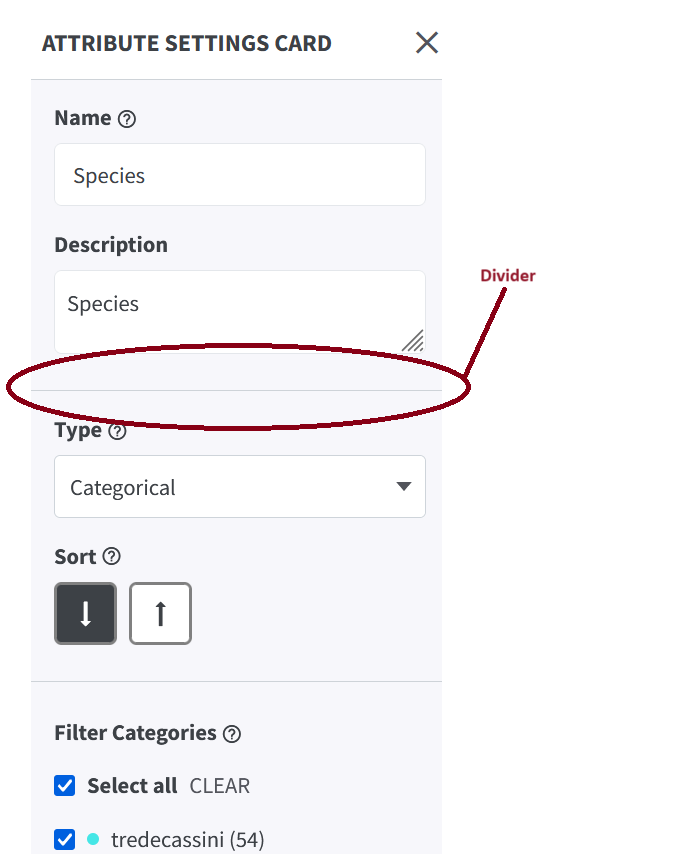
As a part of the redesign of the Attribute Settings Card, we have added a divider under the Description field in the card. This was done to enhance the readability of the card. The rest of the enhancements will be addressed in the successive release.
-
Color Picker Enhancement:
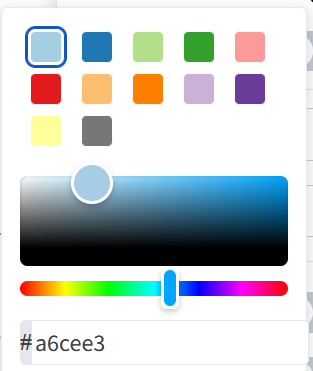
We have further changed the color picker design from a circle to a square and made the number of pre-selected colors consistent across the interface by adding more colors where there were previously only 6 or 8. Additionally, the hue selector is now separated from the color picker.
Before
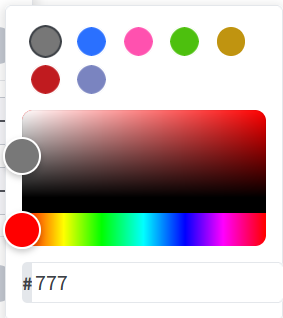
After
Enhancements to the Authoring Tool:
-
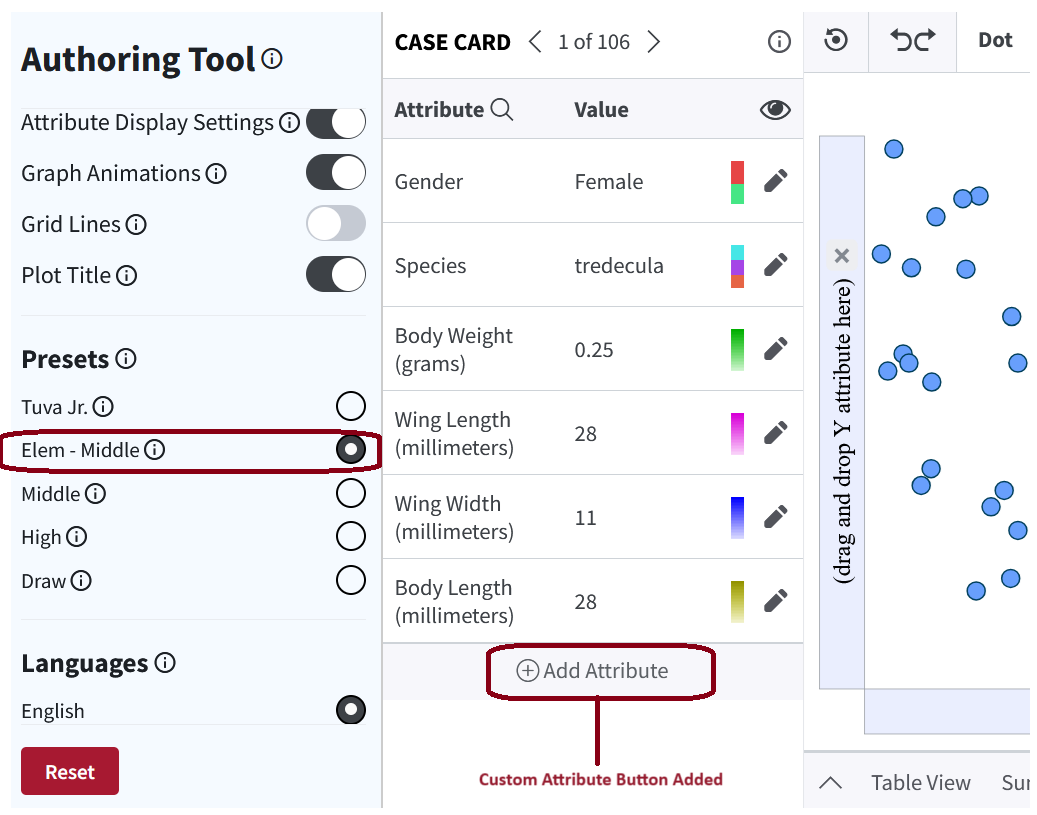
Added Custom Attribute for Elem-middle:
We have enabled the 'Add Attribute' button to the Case Card for Elem-middle datasets, enabling users to create custom attributes.
Accessibility Enhancements:
- Formula Editor Accessibility Enhancement: We added an ARIA label to the text area, enabling screen readers to accurately read the text inside the formula editor.
- Enhanced Focus Indicator Contrast: We increased the color contrast for the focus indicator on UI components within cards and the toolbar to meet the 3:1 ratio requirement.
- Improved Text Contrast in Formula Documentation: We updated the text contrast for the formula documentation of custom attributes to meet the desired accessibility ratio.
- ARIA-Pressed Attribute Update: We added ARIA-pressed with values "true" or "false" for active attributes, allowing speech-to-text software to communicate whether an attribute is pressed or not. Voice Over now recognizes these attributes as toggle buttons and informs the user that they can press them.
- Focus Management for Screenshot Modal: We have made some accessibility improvements to the screenshot button. It now has a feature that tells screen readers it opens a pop-up window. When you open the pop-up, the focus now moves directly to the modal instead of the close button, making it easier to navigate.