Tuva Tools v3.1.0
Released 3/27/2024
Version 3.1.0 of Tuva tools introduces several improvements to Tuva Jr. tools. Additionally, this release launches the Draw Mode, specifically for Tuva Jr. and Tuva assessments, designed to assist in the creation of engaging content focused on modeling phenomena in science. Moreover, the update further expands the variety of data types supported by the standard Tuva tools, by including support for Numerical money format data.
Enhancements to the Tuva Tools:
-
The Draw Mode: The Draw Mode is offered as a preset in the Authoring tool for partners:
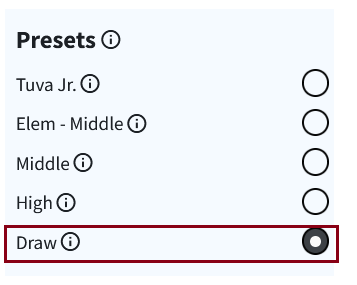
This mode has the following features:- Provides an empty canvas without the need for a dataset
- Conceals the case card and table view to expand the plotting area, facilitating drawing with annotations.
- Removes the drop areas to streamline the drawing interface.
- Supports easy insertion and rescaling of images.
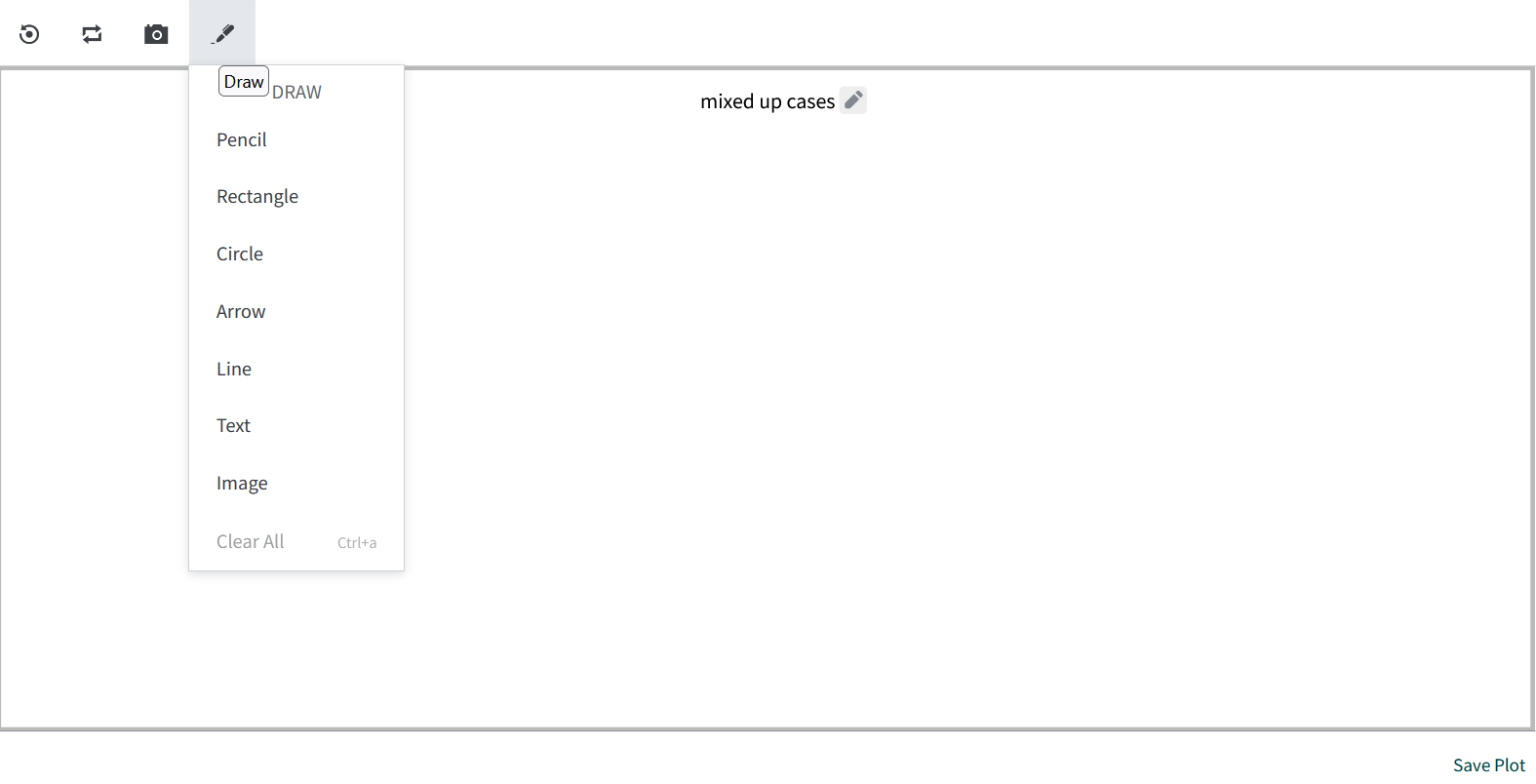
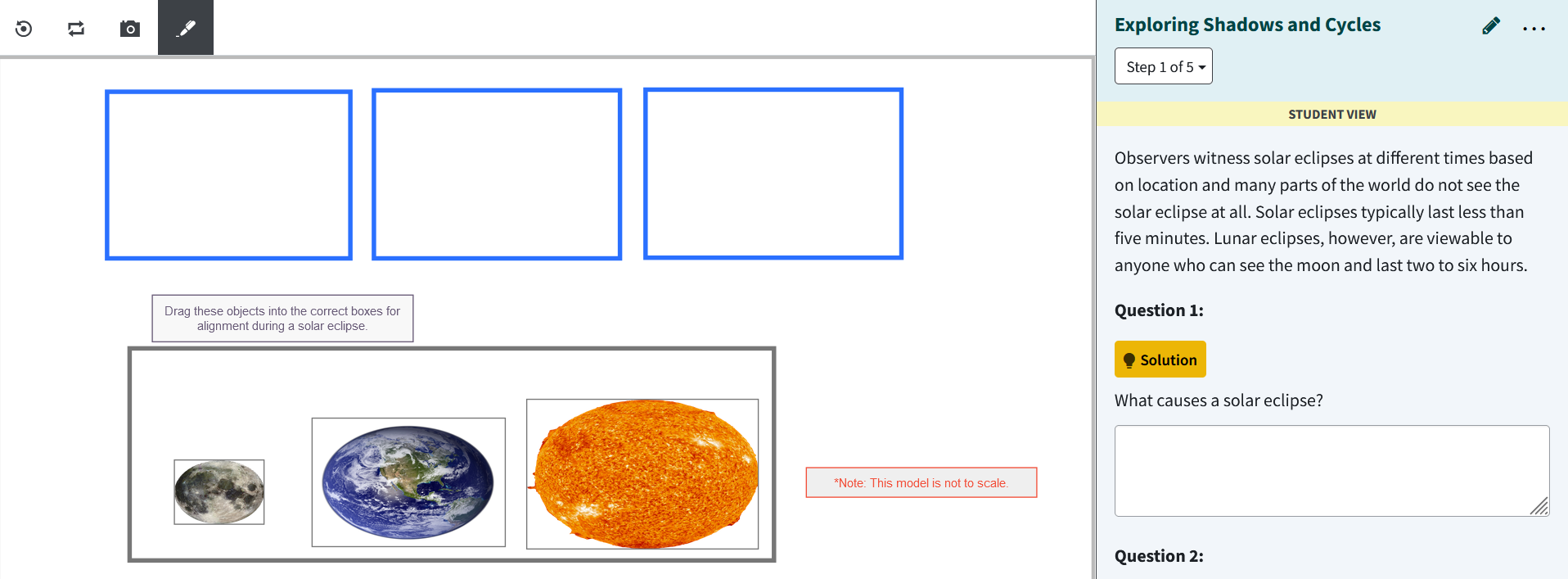
Draw mode is then used within the Tuva application to allow students to create models of physical systems. For example, we can see in the screenshot below that a student is asked to model a solar eclipse.
-
Support for Numerical Money Format: The Numerical Money format support enhances the handling of numbers with units or currency symbols, including consistent formatting and the management of trailing zeros.
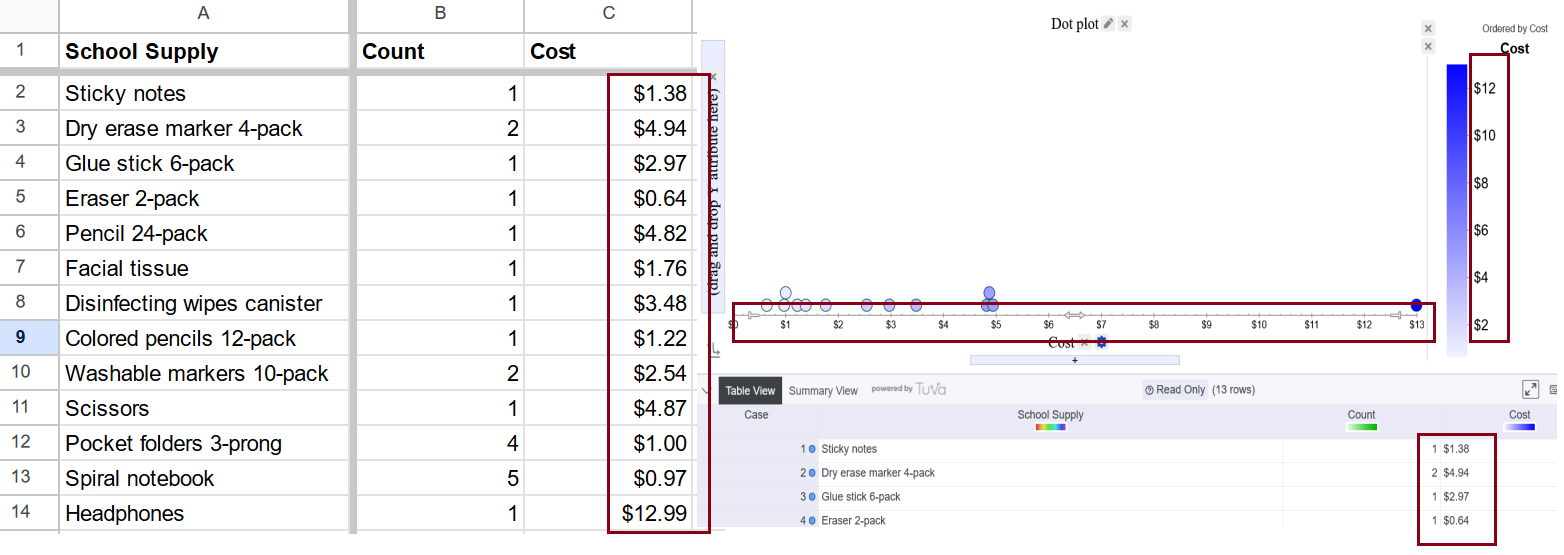
Here are the key features:- Extension to Numerical Extraction: The capability to recognize numbers has been extended to include money formats and other numerical representations with units or prefixes, such as "$1,000.50", "1 inch", and "50%". This includes handling prefixes like "$", and "USD ", and postfixes such as "in", and "%", acknowledging spaces where applicable.
- Automatic Recognition: Numbers with consistent prefixes or postfixes are automatically recognized as an Extracted Number. Inconsistencies in these markers categorize the attribute as categorical, maintaining behavior from previous versions.
- Manual Override: Users can manually set an attribute to be recognized as an Extracted Number, bypassing inconsistencies in prefix/postfix usage. This will default to using the most common prefix/postfix across data points.
- Support for Trailing Zeros: Numerical: Extracted Number attributes now support trailing zeros, affecting the default Decimals setting based on the attribute type. For instance, "$10.00" would be recognized with two decimal places.
- Display Consistency: Case Card and Table View will accurately display numbers with trailing zeros, aligning with the defined decimal places.
-
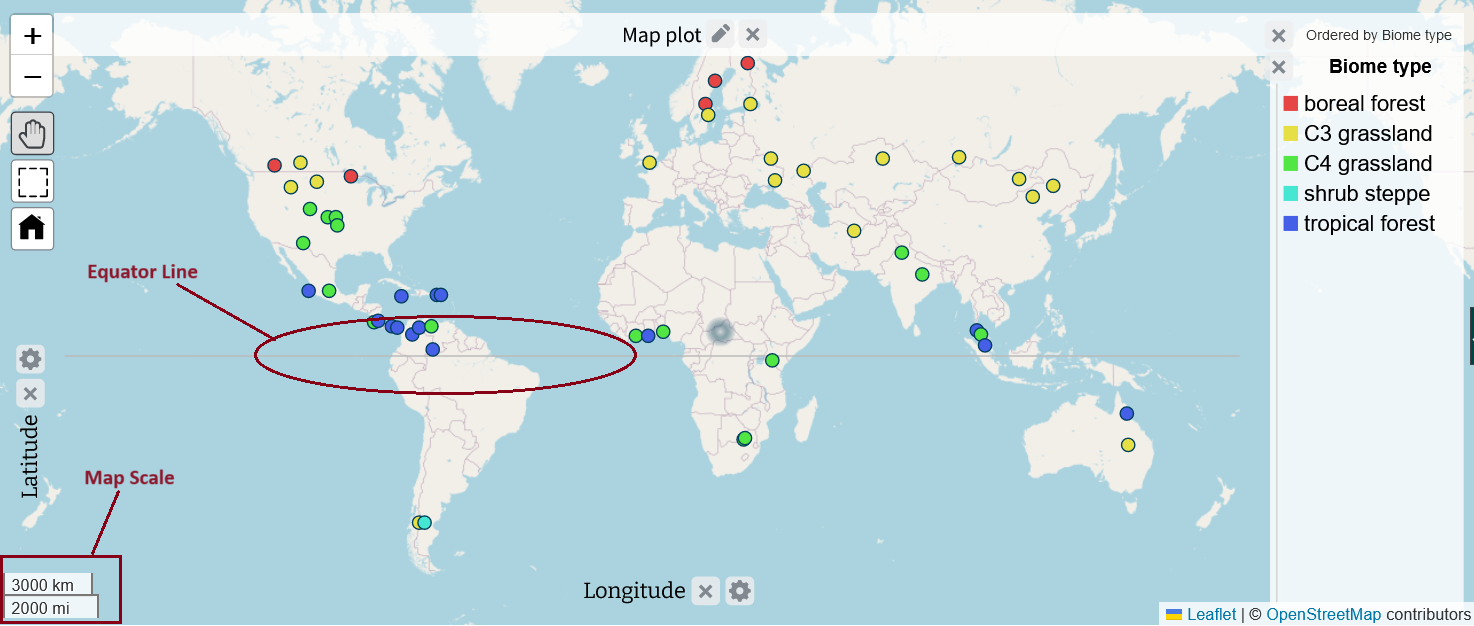
Map Plot Improvements: We made the following enhancements to the map plot:
- Map Scale Visibility: The map scale is now prominently shown in the bottom left corner of the plot.
- Equator Line Display: The equator line is automatically displayed, provided the map is zoomed to an appropriate level.
-
Improvements to Year-Month Formats: We've resolved a display inconsistency with month-year and year-month formats, where the format could switch between styles like "2023-Feb" and "02-2023" based on the data, without offering user control over this inconsistency.
To address this, we've introduced auto-detection for the format (alphabetical or numerical) as used in the data entries, ensuring consistent display. This improvement offers users flexibility without the need to manually adjust Attribute Settings for formatting preferences, simplifying the handling of various input types such as filtering and specifying range boundaries. -
Accessibility Improvements: As part of our ongoing commitment to ensuring Tuva tools are accessible to everyone, we have implemented the following improvements:
- Keyboard Accessibility for Tooltips: We have updated tooltips to be fully accessible to users navigating the plotting area solely with a keyboard. Now, tooltips will become visible when they receive keyboard focus and can be dismissed by pressing the escape key, without shifting the focus elsewhere.
- Plot Area Summary Accessibility: We have refined the plot area summary by placing it in a dedicated Div, linked through the aria-describedby attribute by ID. This change aligns with WCAG standards, addressing the issue of lengthy summaries in Aria labels by adopting a better practice for longer texts.
- Usability Enhancement for Legend & Histogram Controls: We have resolved a usability concern with the legend and histogram's minimum and maximum buttons. Previously, reaching the min or max limit would still trigger a loading icon without indicating the buttons were disabled. Now, the cursor changes to signal that the button is unclickable when these limits are reached.
- Aria Label Update for Legend and Axis Controls: We have enhanced the aria labels for the "+" and "-" buttons in the legend and axis areas, ensuring they accurately communicate their purpose.
Enhancements to Tuva Jr.:
-
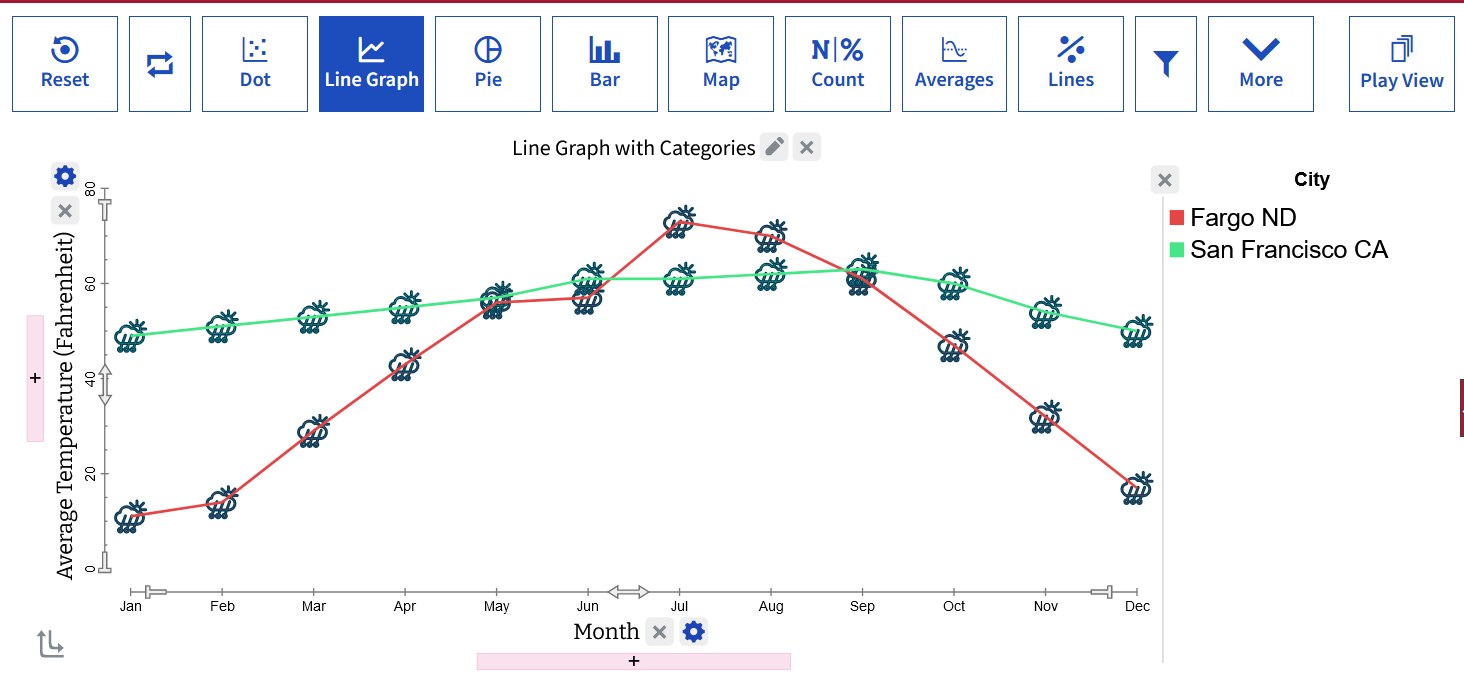
Line Graph by Category: For Tuva Jr., we have reintroduced the "Line Graph by Category" feature in the plot view, enabling elementary students to easily compare changes over time across different categories.
-
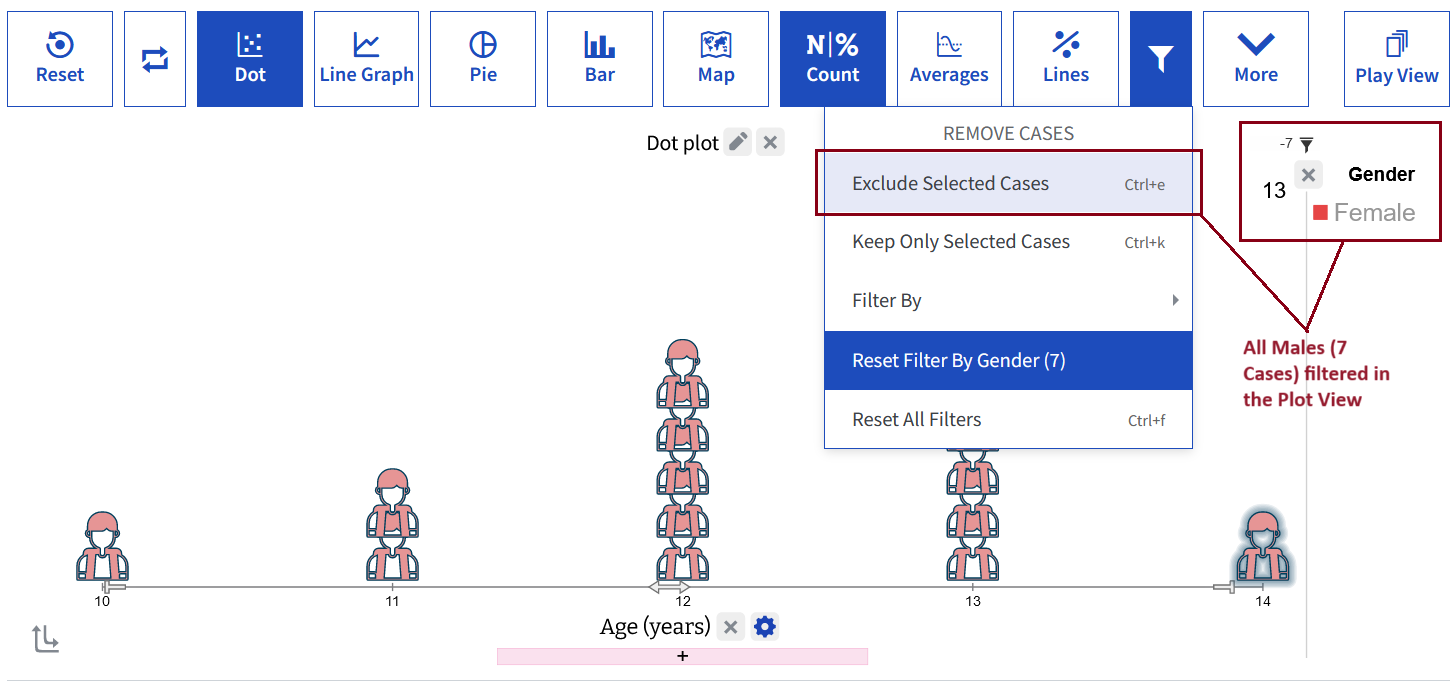
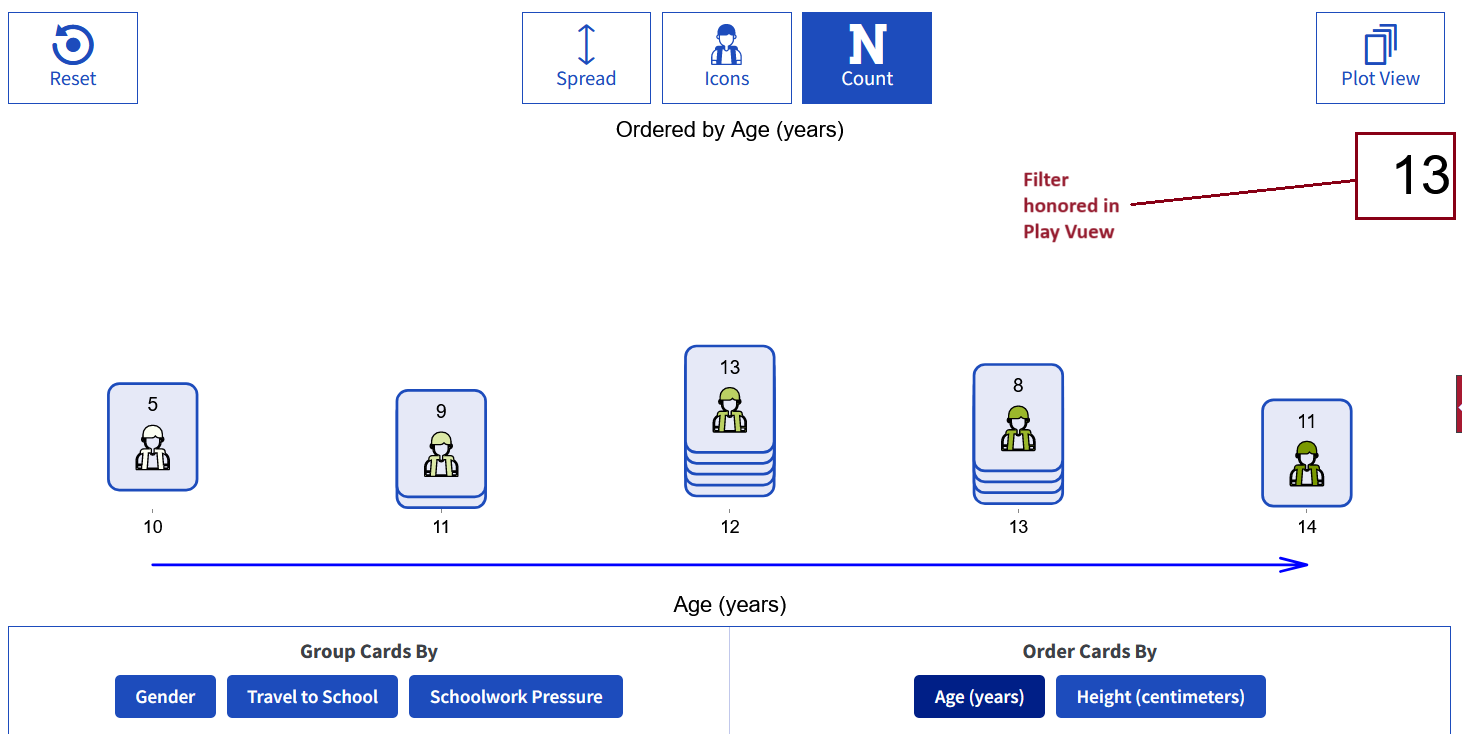
Honoring Filters: We have upgraded the Tuva Jr Play View to honor and incorporate any filters set in the Plot View, ensuring a seamless data exploration experience.
-
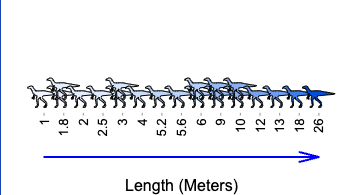
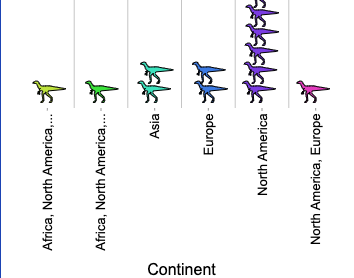
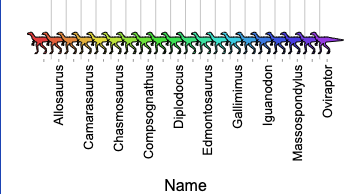
Updated Value Display below Ascending Arrow in Play View: In the Play View of Tuva Jr., we have made significant updates to improve readability and space efficiency. To avoid truncation of closely packed numbers and text, we have implemented a 90-degree rotation for the labels below the ascending arrow. This adjustment makes values easier to read by providing additional space.
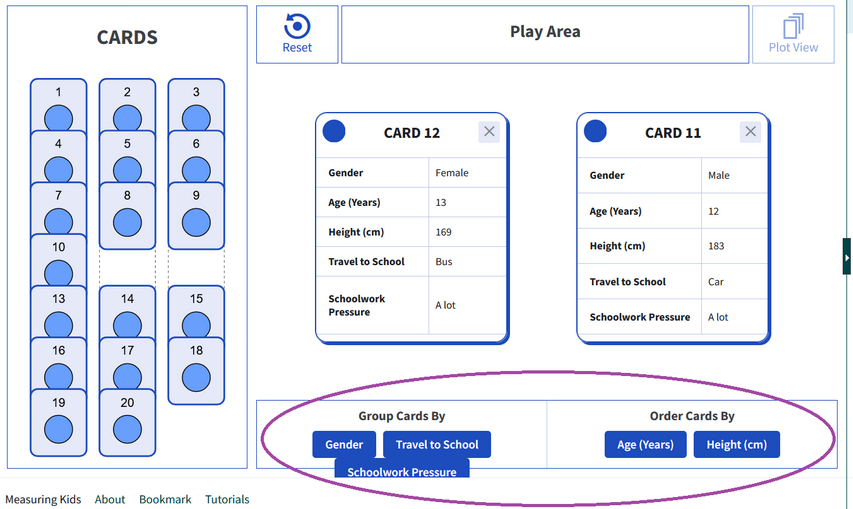
- Order By and Group By Enhancements: Labels for "Order By" and "Group By" are now rotated as necessary to free up space, enhancing the overall layout.
- Selective Label Display: We introduce the strategy of displaying every X label to optimize space usage further in the Play view.
- Interactive Dragging: Despite the rotation of labels, the ability to drag categories for reordering remains intact, maintaining the interactive nature of the Play view.
- Added Tick Marks: For clearer association between labels and their corresponding stacks, we've added tick marks. These feature a slightly different style than in the Plot view for aesthetic reasons and better clarity.
Bug Fixes:
-
Responsiveness Issue: We resolved a responsiveness issue where attribute buttons, which transform into dropdown menus upon window resizing, failed to revert to button format when the window width was increased, despite there being ample space.
In addition to these updates, we have carried out several bug fixes to the regular Tuva tools as well as Tuva Jr. to ensure a seamless user experience.