Tuva Tools v3.0.2
Released 8/11/2023
With a continued focus on improving functionality and usability, version 3.0.2 of the Tuva tools brings you several small enhancements and bug fixes for Tuva Jr. and the Tuva tools in general.
Added:
- More Language Translations: As part of our ongoing commitment to accessibility and inclusiveness in our tools development, we have expanded support for additional language translations.
Changed:
-
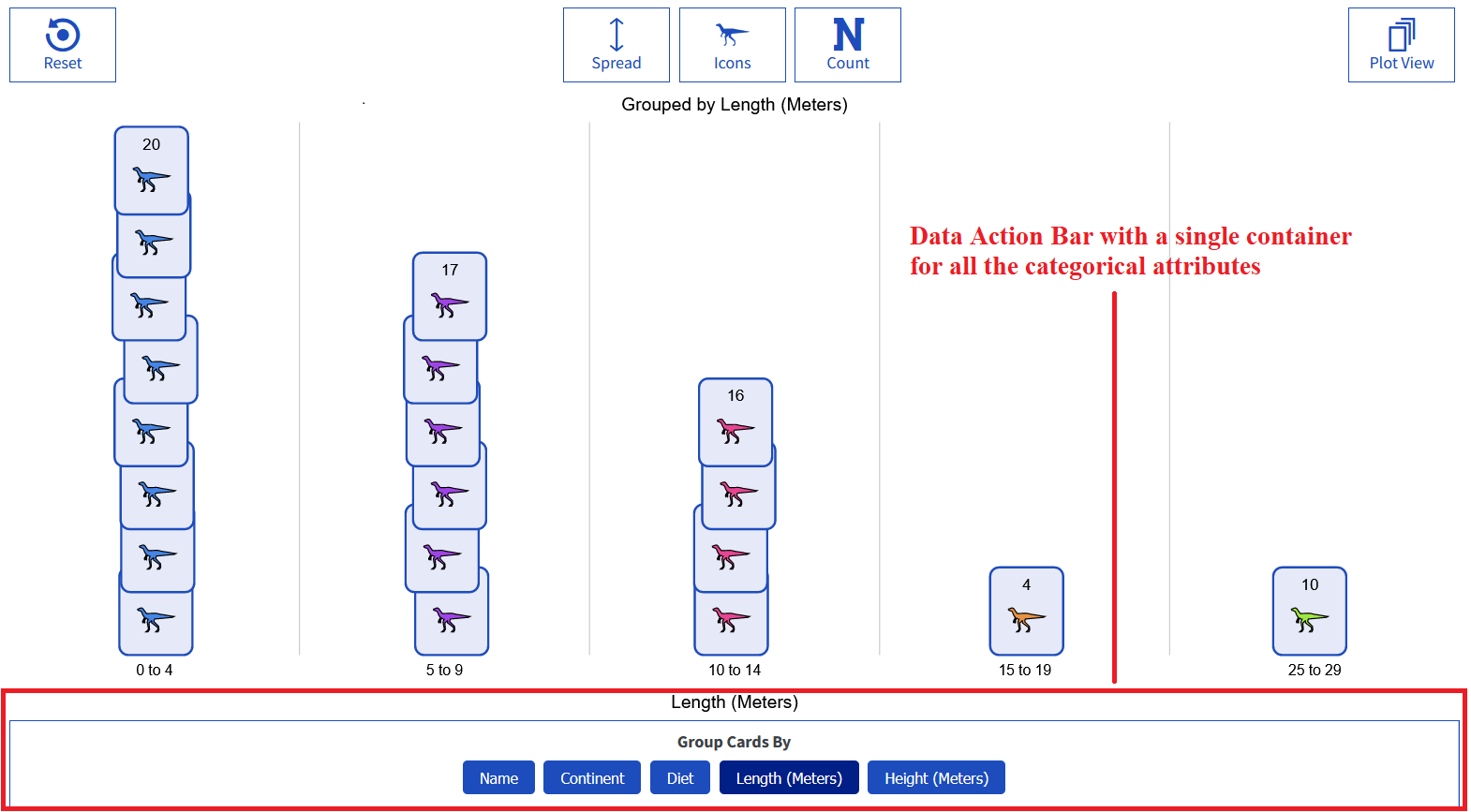
Design for Data Action Bar in Tuva Jr.: In the previous version of Tuva Jr., when a dataset did not have any categorical or numerical attributes, the Data Action Bar would display both types of attribute containers even though one was empty.
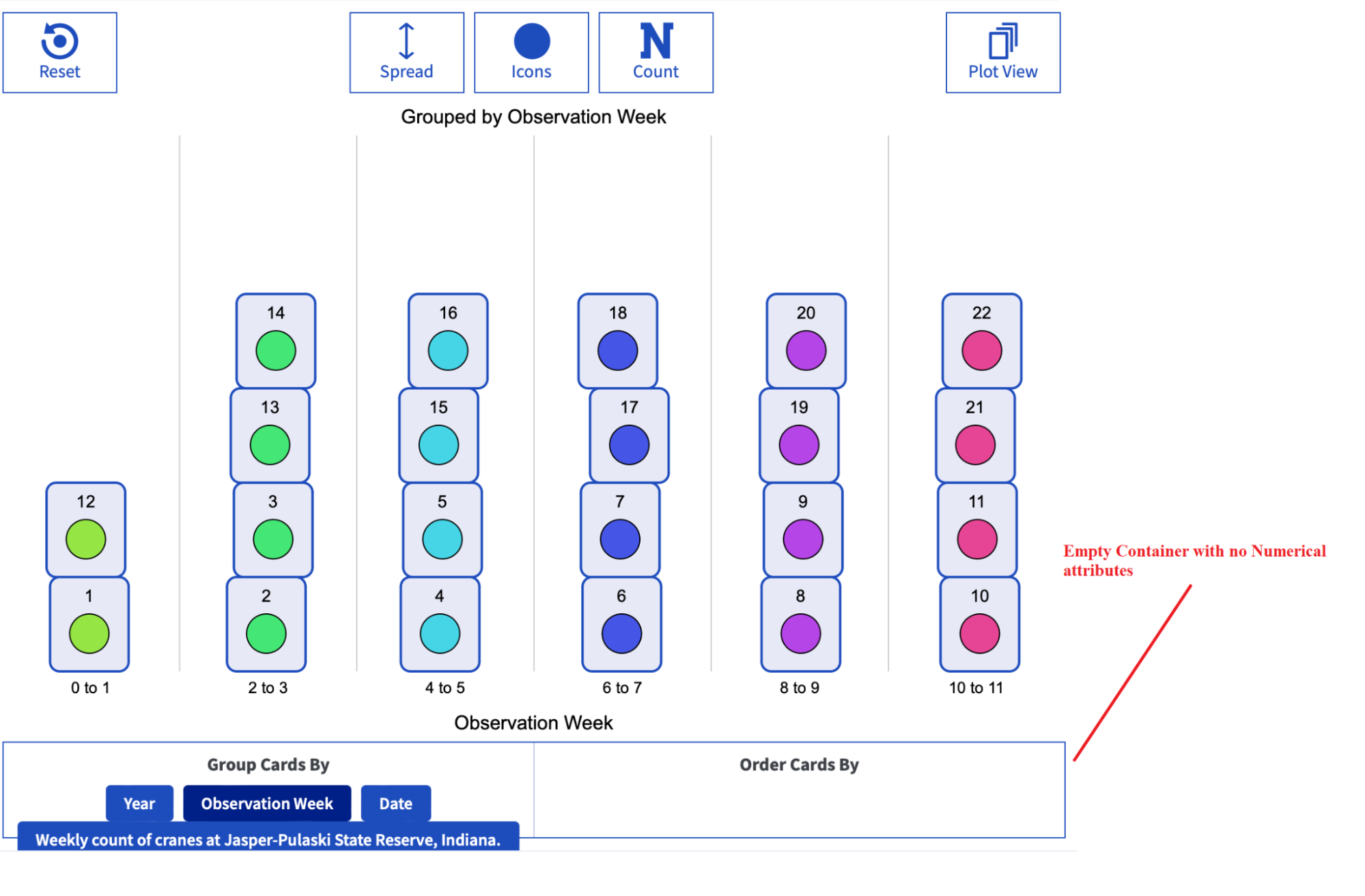
With the latest update, the attribute containers are dynamic. This means that if one container is empty, the other one will automatically expand to fill the space, providing more space for the attributes crammed in a single container.
-
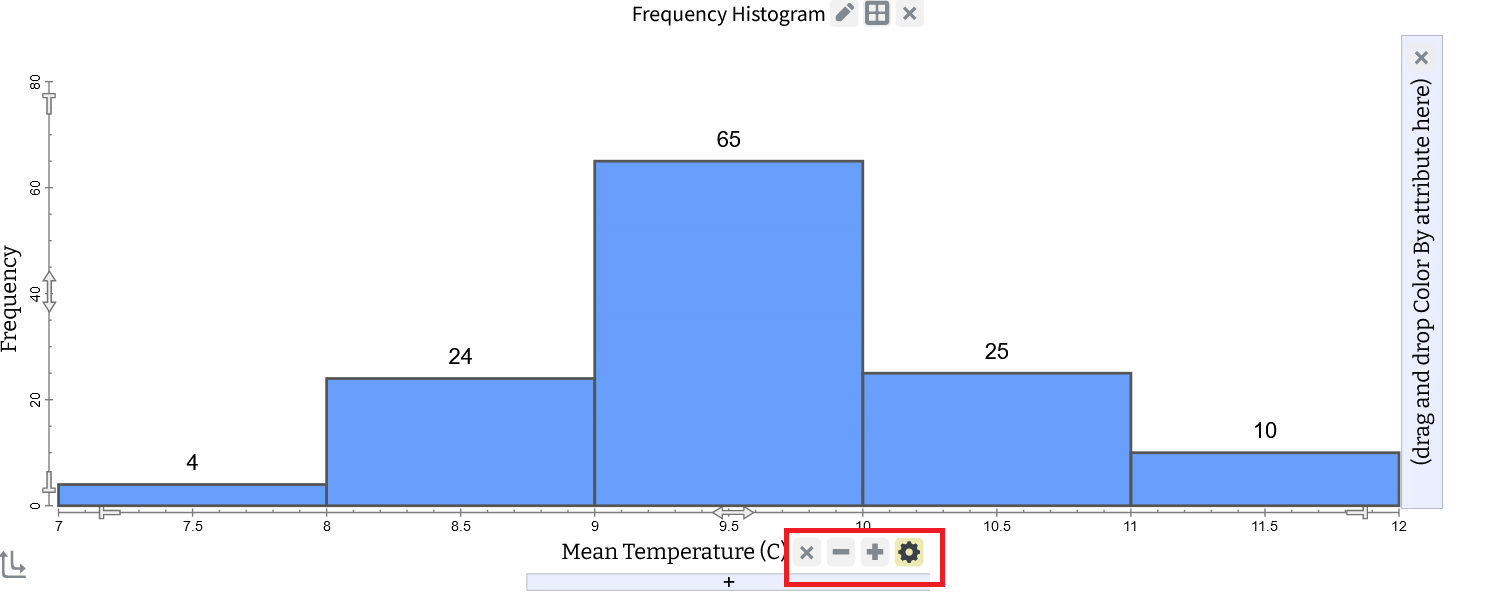
New Button Designs: We have introduced new button designs for the Tuva tools. These changes have been implemented to ensure consistency in design, enhance ease of use, and improve accessibility for all users.
-
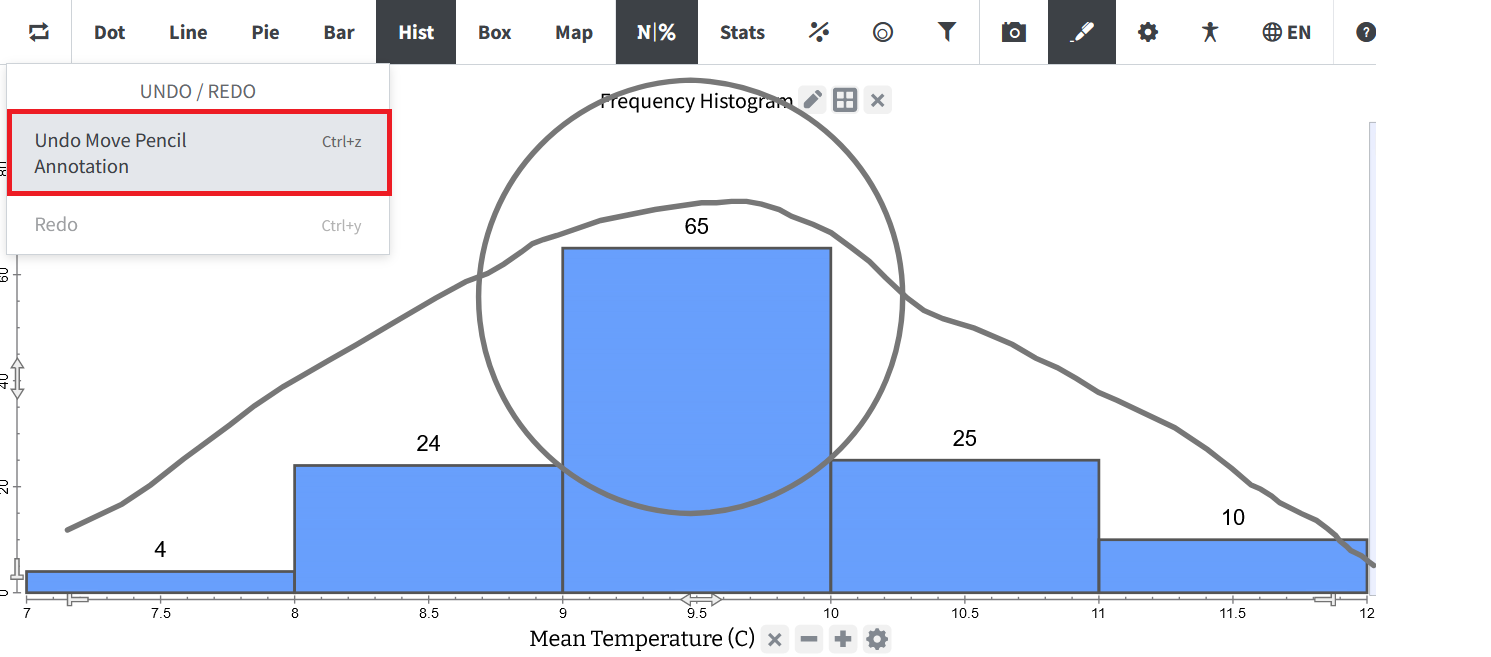
Improved Undo/Redo Text for Annotation: We have improved the Undo and Redo handling of annotations. Previously, the undo/redo text for various annotation actions (adding, moving, editing, or deleting) were all labeled as "annotations." Now, we provide more specific descriptions, such as 'Undo Move Line Annotation' or 'Undo Move Rectangle Annotation', making it easier to track and understand each annotation action.
-
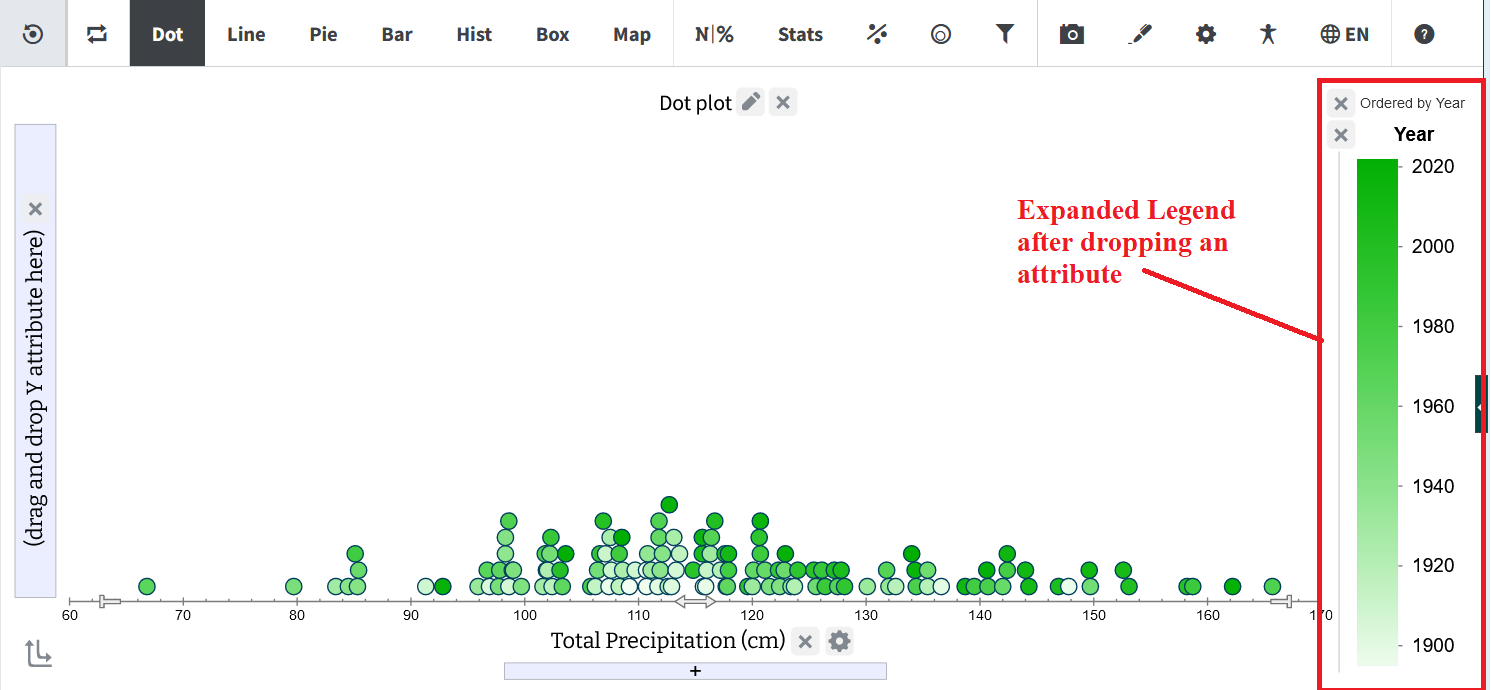
Updated Legend Display Logic: In order to optimize the plotting area when no legend is present, we have improved the legend's display logic. Now, the legend has a narrower drop area initially, allowing for more space in the plotting area.
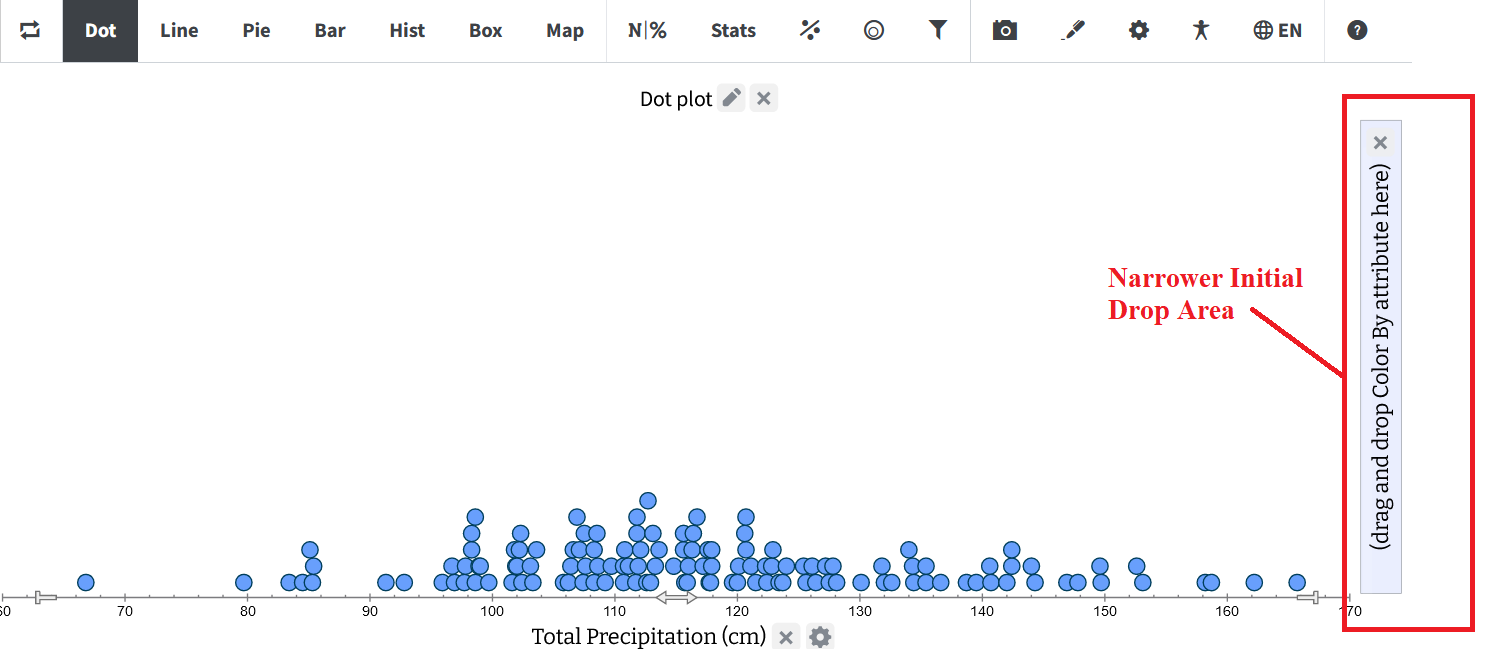
However, once an attribute is added to the legend, it will automatically expand to its usual width, ensuring the most efficient utilization of space.
-
Enhancements to Significant Figure Rules: We have thoroughly examined the rules governing significant figures for the slope and intercept of the Least Squares Regression Line (LSRL). As a result, we've made the following adjustments:
- Slope: The slope is now rounded to one more decimal place than the maximum of the significant digits of the X and Y data values.
- Intercept: The intercept is now rounded to one more decimal place than the maximum significant digits found in the Y data values.
- Reset Function Enhancement: The Reset function now includes the reset of significant digits, encompassing both attribute settings panel and Summary View adjustments for increased or decreased precision.
Bug Fixes:
In addition to these enhancements, we have fixed several bugs, both in Tuva Jr. and the default Tuva tools, ensuring a smoother user experience
- Play View Font Size Issue: We fixed an issue that was breaking Tuva Jr after increasing the font size in the plot view and switching over to the play view.
- Issue with Numerical Extracted Values: We fixed an issue in Tuva Jr where the numerical extracted values were erroneously being treated as categorical.
- Erroneous Display of Attribute Description: We fixed an issue where the Attribute description was displaying in the play area instead of the Attribute name.
- Date Time Attribute Issue: We fixed an issue that was preventing Tuva Jr from properly displaying date time values, and instead was showing them as unicode.
- Issue with Restoring Saved States: We fixed a number of issues that were cropping up while saving and restoring plot states for Tuva Jr. For example, the button states in the top toolbar were not being honored.
- Attribute Dropdown Display Issue in Smaller Screen Space: We fixed an issue with the responsiveness of the attribute buttons transforming into dropdown menus when resizing the window. When increasing the width of the window, the dropdown menu would not return to showing buttons when there was more space. This is fixed!
- Map Plot Issue: We fixed an issue that was causing artifacts from the map plot to remain in the play area when switching from plot view to play view.
- Issues with Converting Numerical to Categorical and Saving/Loading Plot State: We fixed an issue with the plot state not preserving changes in the attribute's type (i.e. changing from numerical to categorical).
- Issue with Pasting or Appending Data in the Table View: We fixed an issue with the tools not immediately showing the cases after pasting data or when streaming live data from a simulation to the Tools. Now, cases will appear right away.
- Blank Screen Issue when Opening Settings Card: We fixed an issue where frequency charts were causing a blank screen to appear when opening the Settings Card.