Tuva Tools v3.0.0
Released 6/26/2023
Version 3.0 of the Tuva Tools is centered around the launch of Tuva Jr., a learning experience crafted specifically for elementary students. Tuva Jr. empowers young learners to build their data skills in a simple, yet engaging environment, equipping them with the knowledge and abilities needed to navigate the world of data effectively.
Tuva Jr. A Data Analysis Tool for Elementary Kids:
Tuva Jr. represents a significant pedagogical shift in design, driven by extensive R&D by the Tuva team on the specific needs of very young children. It is important to highlight here that Tuva Jr. goes beyond graphing tools and datasets. It is meant to spark excitement in young learners, making learning with data enjoyable. With a comprehensive environment, it aims to encourage engagement, exploration, and discovery. The R&D work identified several aspects of the current Tuva Tools and datasets that could potentially present challenges for young learners, including the initial random state of cases, the CASE Card view, the toolbar, and large, multivariate datasets. These findings have guided the development of Tuva Jr. to ensure a more user-friendly and age-appropriate experience for our young users. Tuva Jr. provides two views of the data, one for absolute data novices and the other for children who have gained a measure of facility with it.
-
The Play View: The Play view of Tuva Jr. leverages the metaphor of a Card Game to create a fun and engaging environment for young learners to build elementary data literacy skills and concepts.
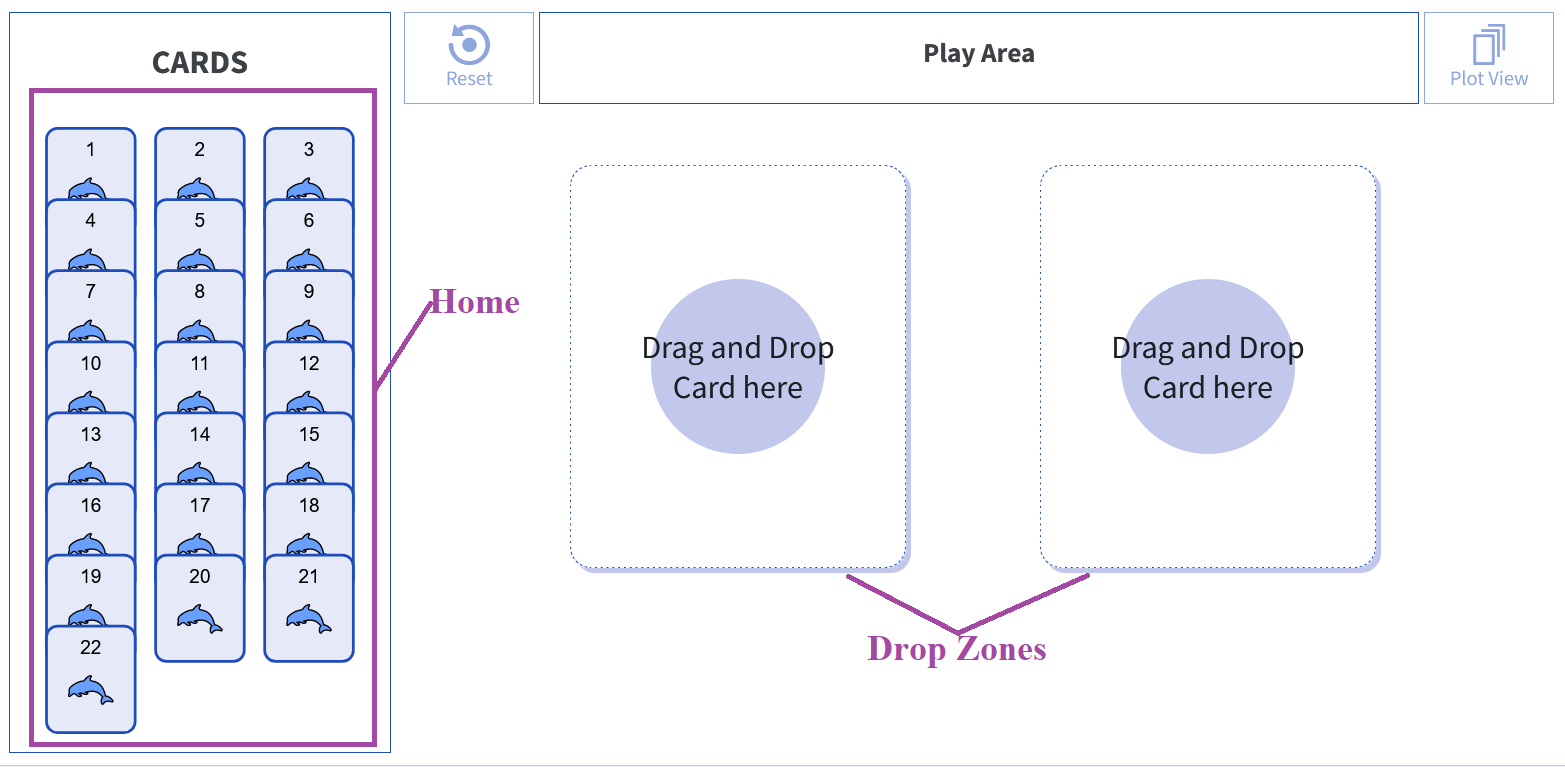
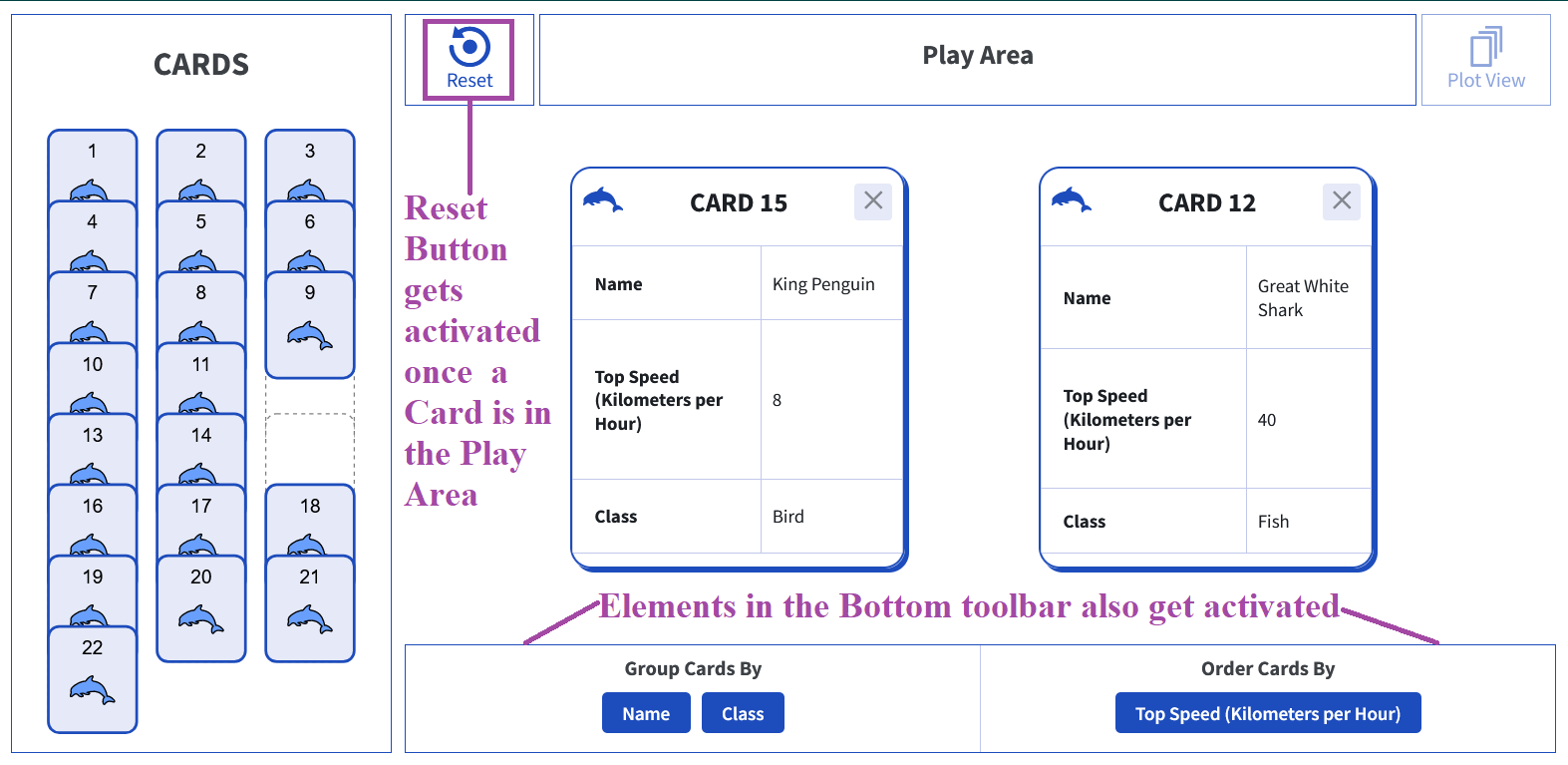
By default, the cards are positioned face-down in their home on the left side. Students are allowed to drop up to two cards at a time into the designated drop zones in the Play Area. Once there is at least one Card in play, the Reset button on the top toolbar and the Group Cards by and Order Cards by buttons on the bottom toolbar become active, as shown below.
If the user selects an attribute from the Group By buttons, the cards get organized into categories as shown below:
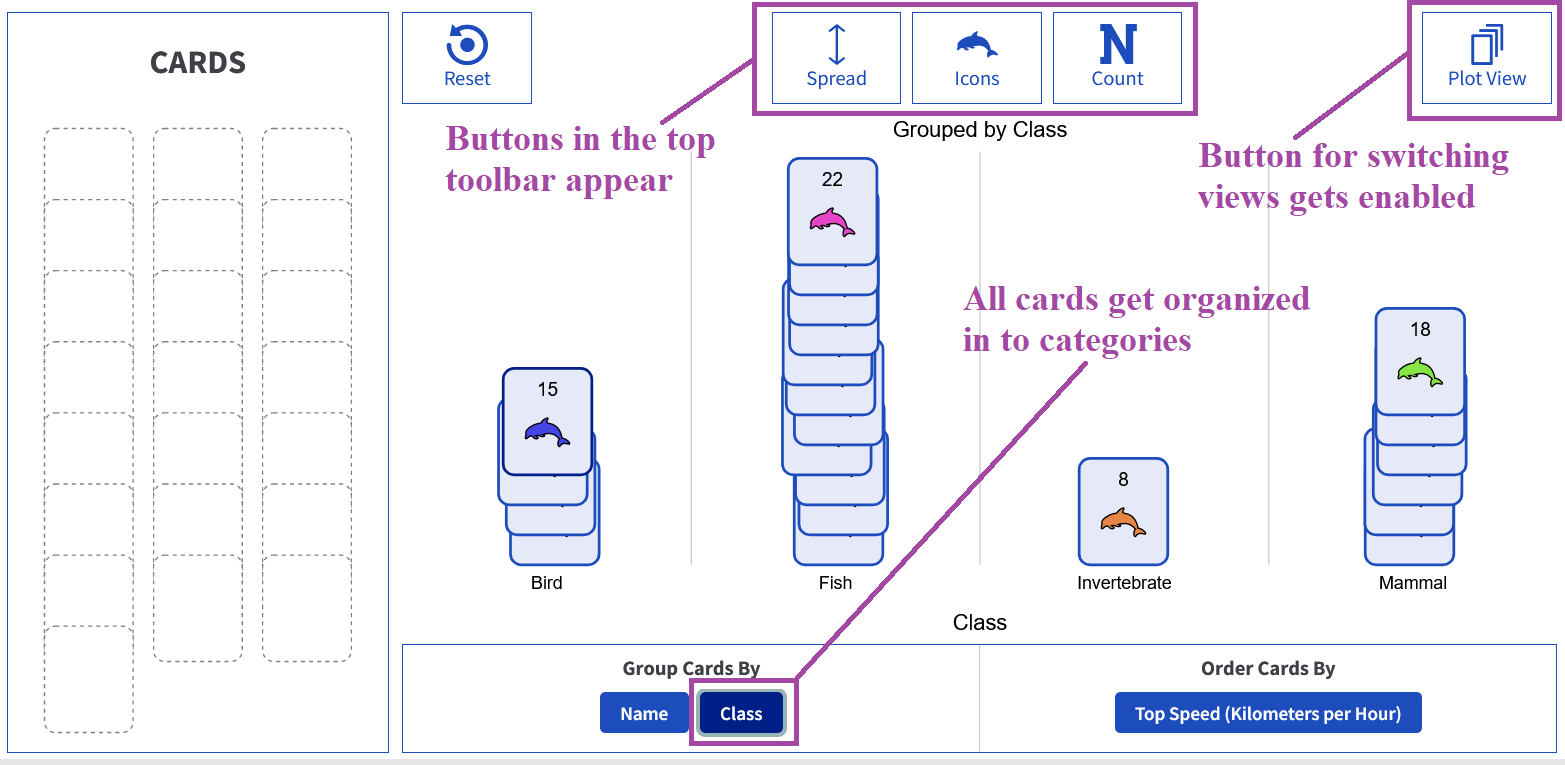
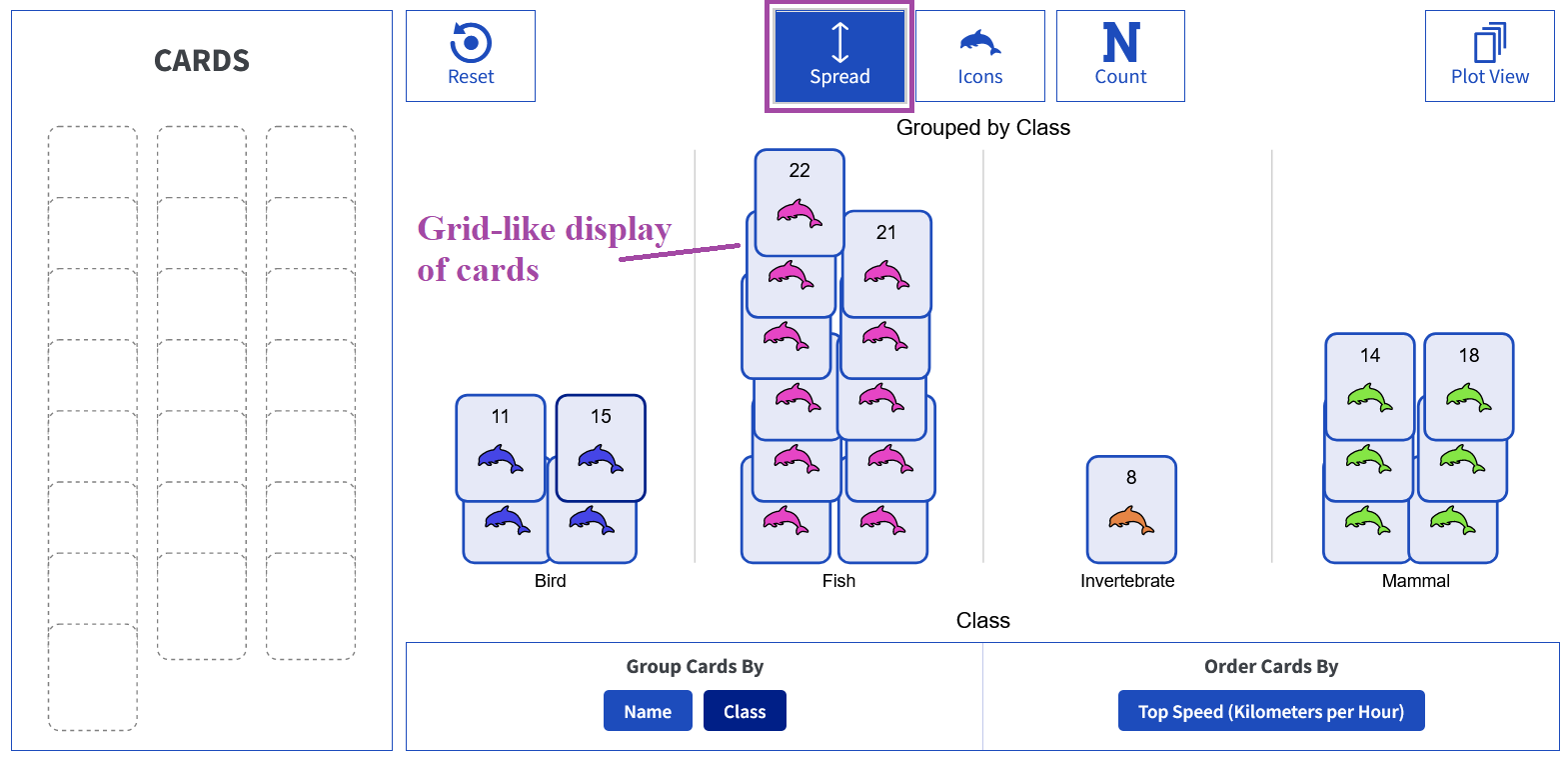
The buttons in the top toolbar have the following functions:- Spread: The Spread button enables users to organize the cards in a grid-like display, facilitating easier estimation and counting of cards, as well as comparisons across different categories.
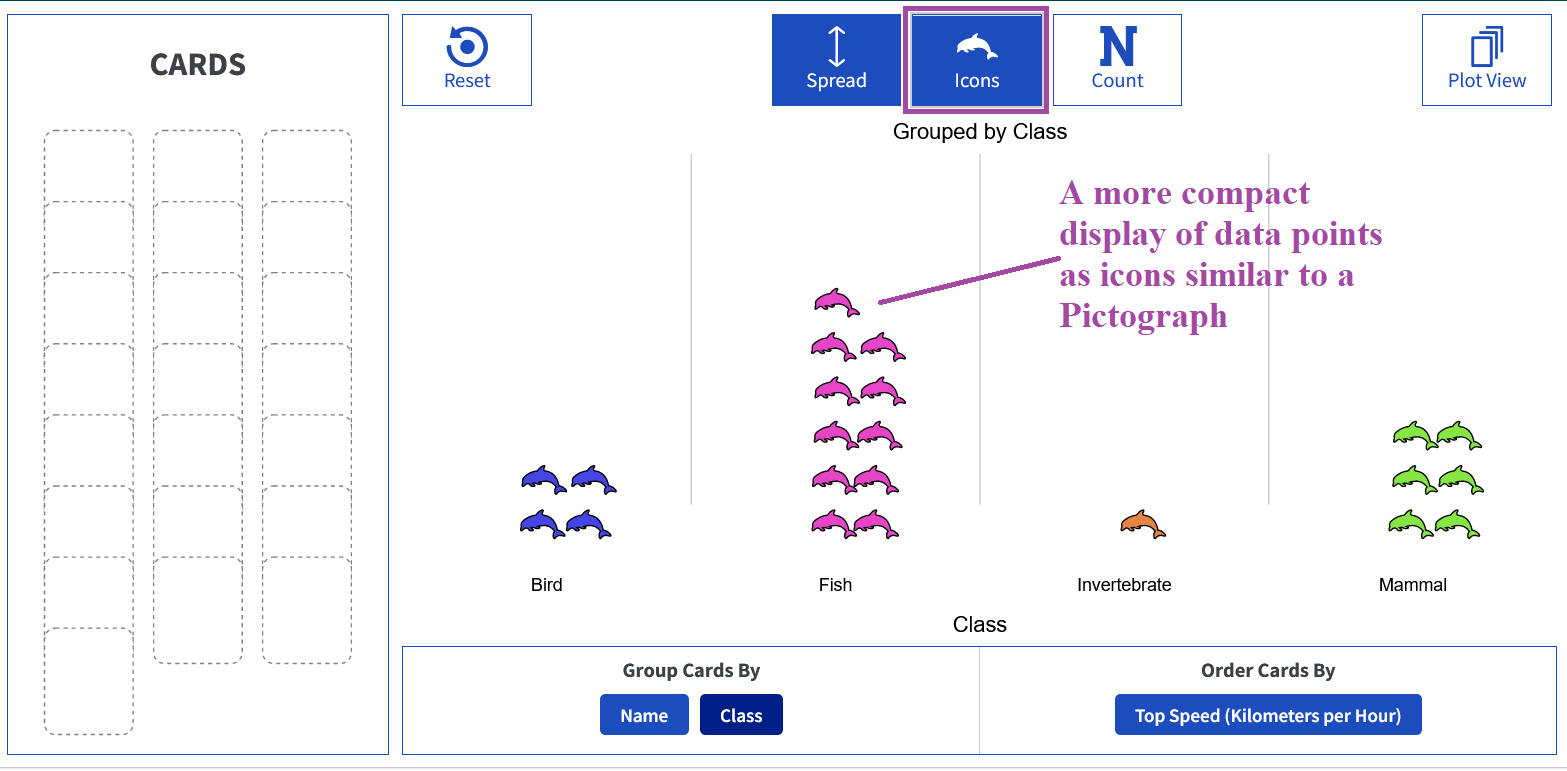
- Icons: The Icons button allows students to display the cards as icons only, offering a more compact view and helping them prepare for dealing with more abstract data points, making the connection between cards and data points.
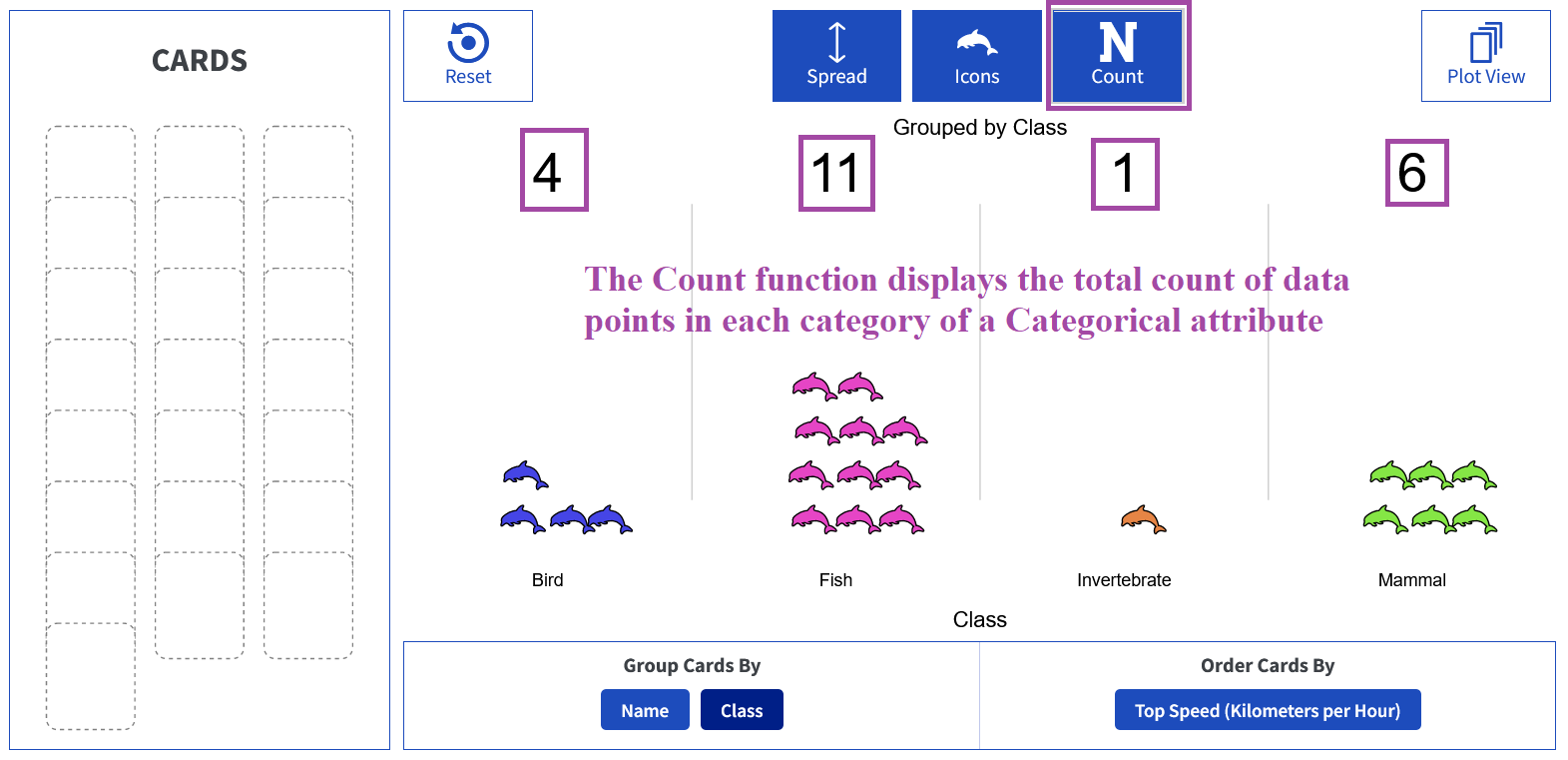
- Count: The Count button enables users to display the count of the total number of cards in the Play area, for numerical attributes, or the number of cards in a specific category of a categorical attribute.
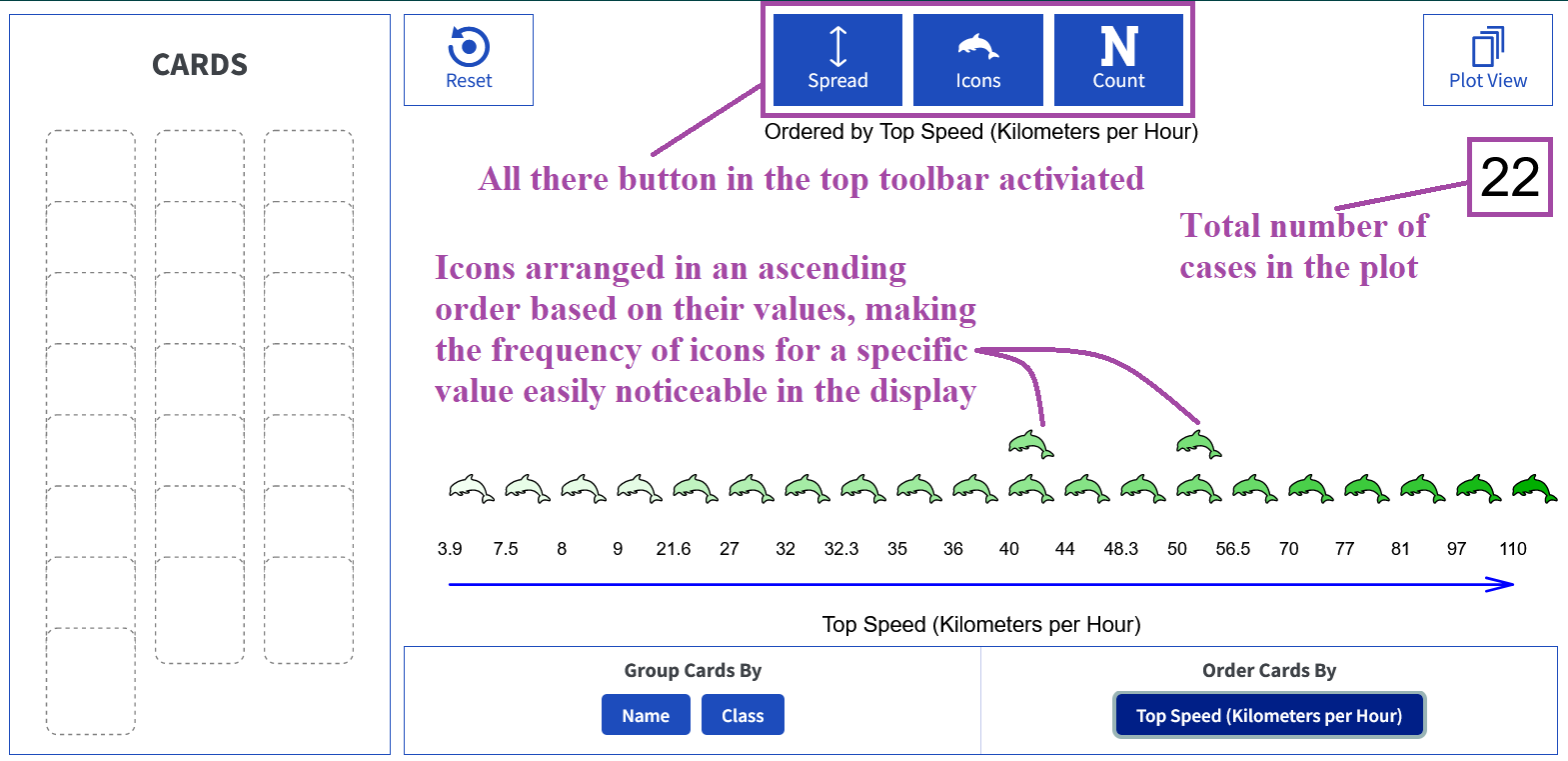
- Spread: The Spread button enables users to organize the cards in a grid-like display, facilitating easier estimation and counting of cards, as well as comparisons across different categories.
-
The Plot View: Once learners have mastered simple data moves like grouping and ordering, they are ready to graduate to the Plot View. This view can be accessed by clicking on the Plot View button on the top right.
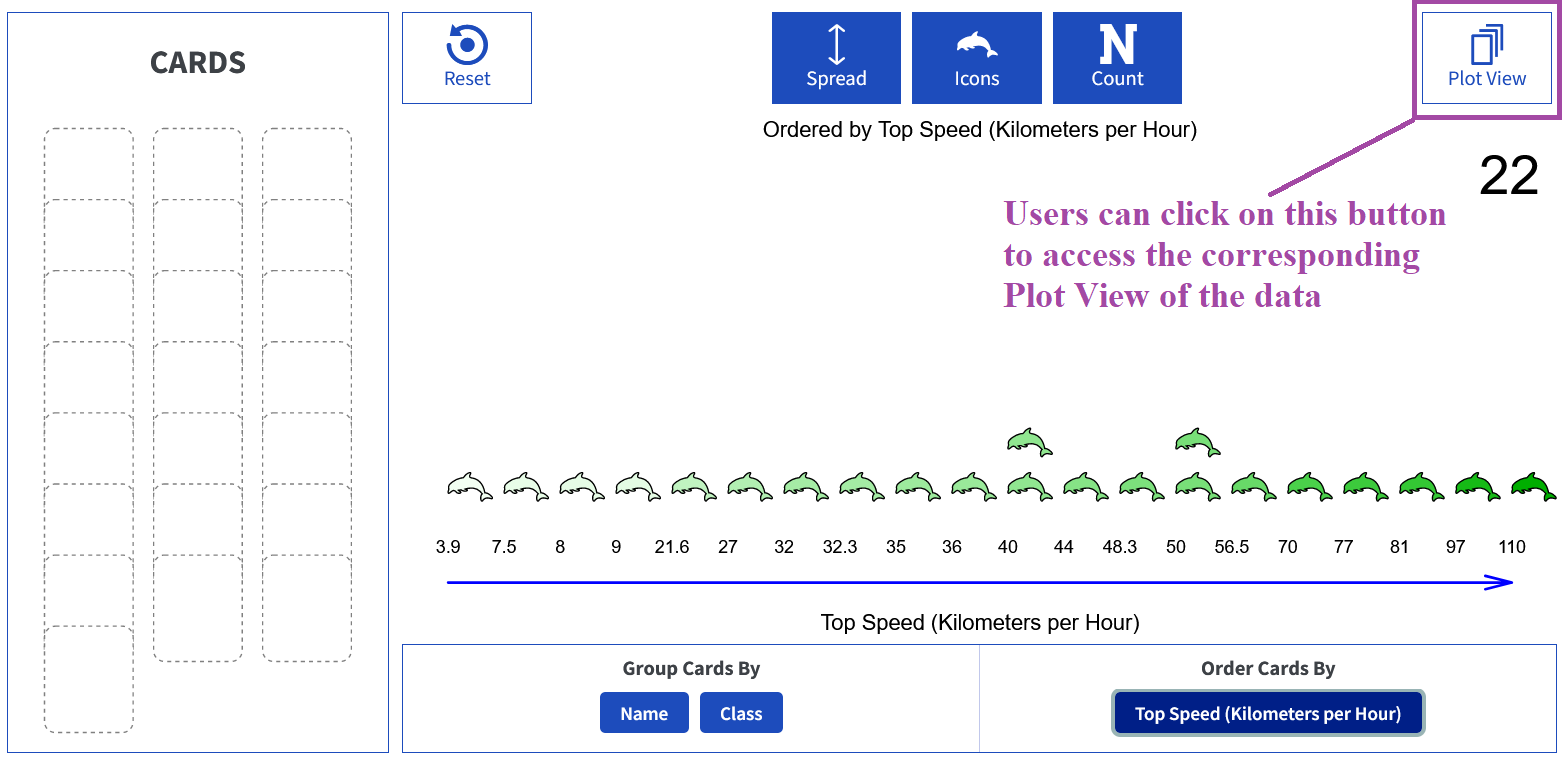
Note: The graph represents the plot that the user created in the Play View.
The Plot View in Tuva Jr. also incorporates design changes specifically tailored to enhance data exploration for young children. Here are the key aspects:-
A clean and simple toolbar with functions suitable for elementary-aged children.
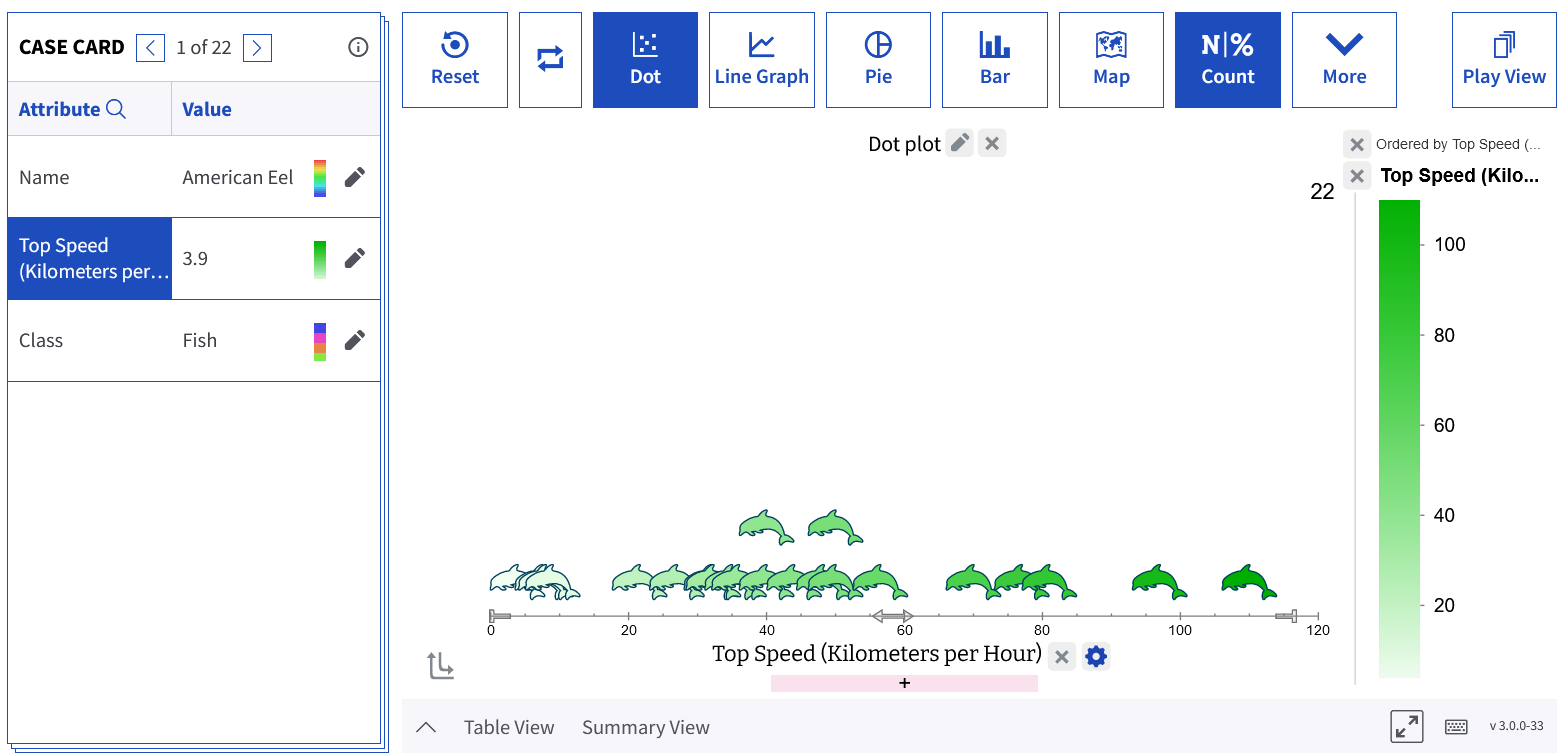
Note: The toolbar now has larger buttons with intuitive icons, making it easier for young children to navigate and access the desired functions -
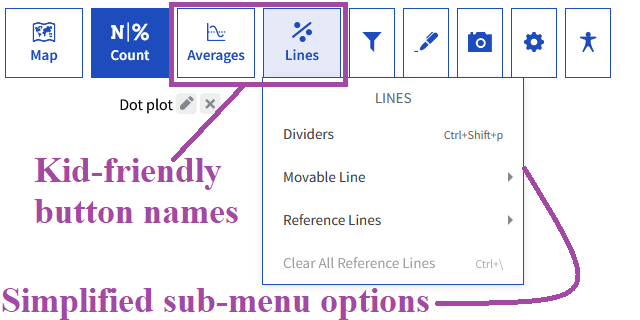
User-friendly button names and simplified submenu options for each button in the toolbar, making it easier for young children to understand and use.

-
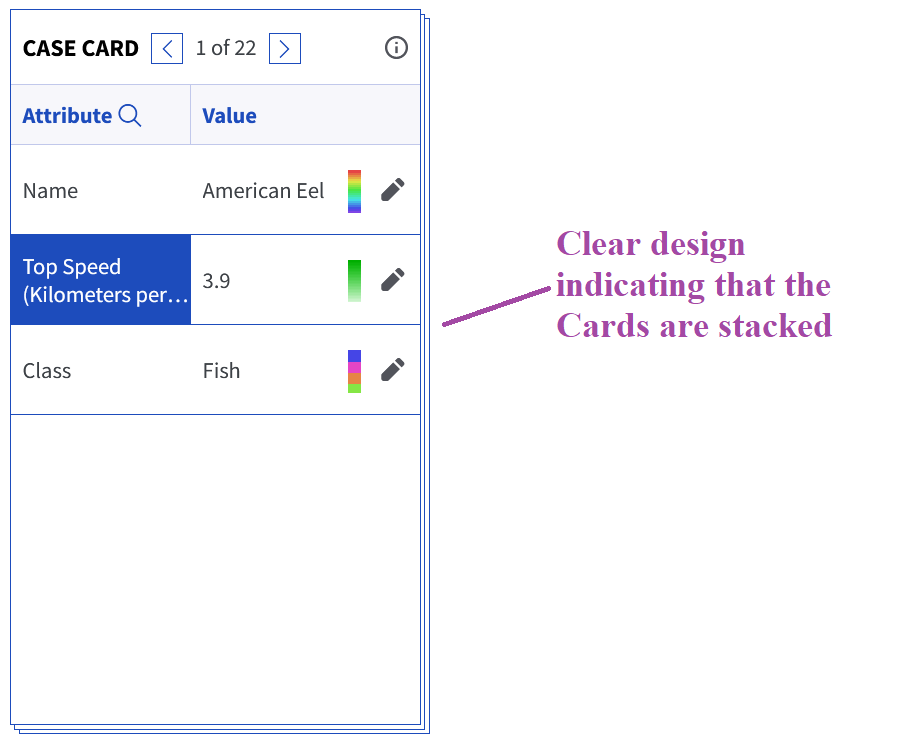
Updated design of the Case Cards to clearly indicate that they are stacked.
-
Vibrant and prominent drop areas for easy interaction.
-
A clean and simple toolbar with functions suitable for elementary-aged children.