Tuva Tools v3.2.0
Released 7/24/2024
This version of the Tuva tools introduces several important enhancements and fixes to improve usability and accessibility. The primary updates include an improved and flexible color picker, smoother pencil annotation, accessibility support for the Draw mode, and support for Portuguese. These changes aim to provide a better user experience and ensure the tools are more inclusive.
Enhancements to the Tuva Draw Tools:
-
Enhancements to the Pencil Annotation Tool: The path line is now smoothed when creating pencil annotations. Users can access and adjust the smoothing controls via the Context menu's "Smoothing" setting.
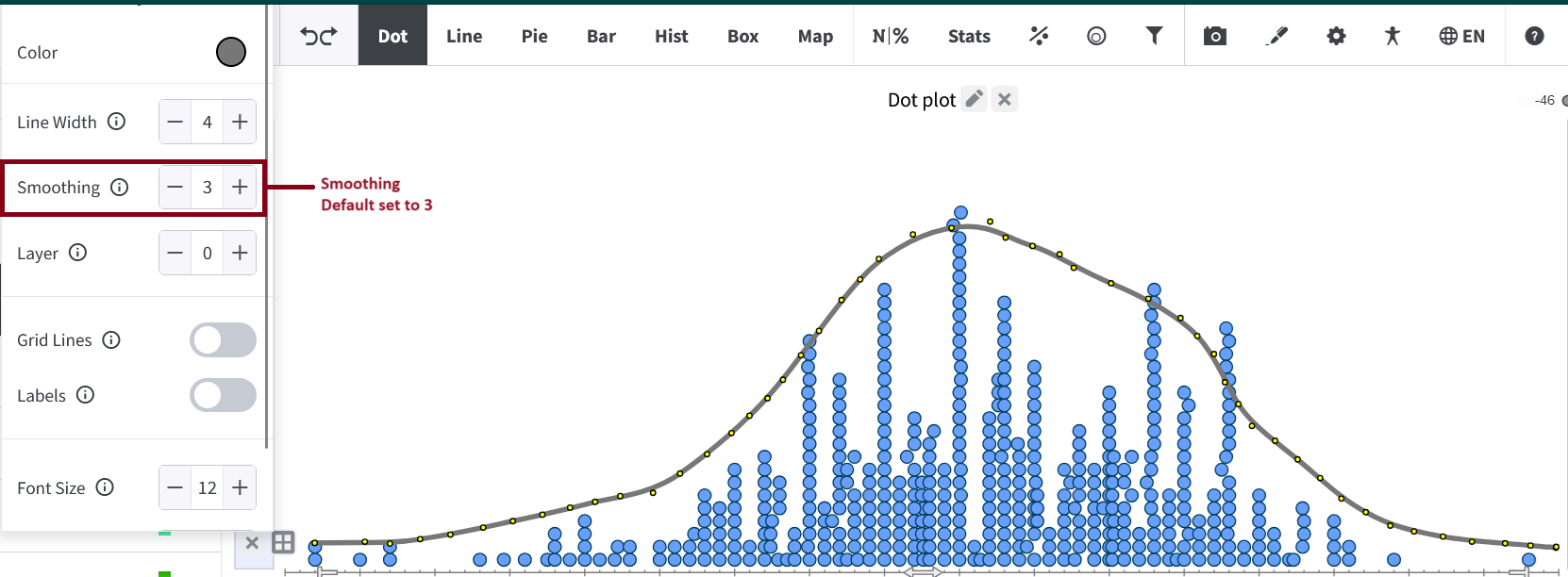
The Smoothing values range from 0 (unsmoothed) to 9 (maximum smoothing). Additionally, pencil lines now snap to the first point on the line, creating a smooth closed loop if smoothed.
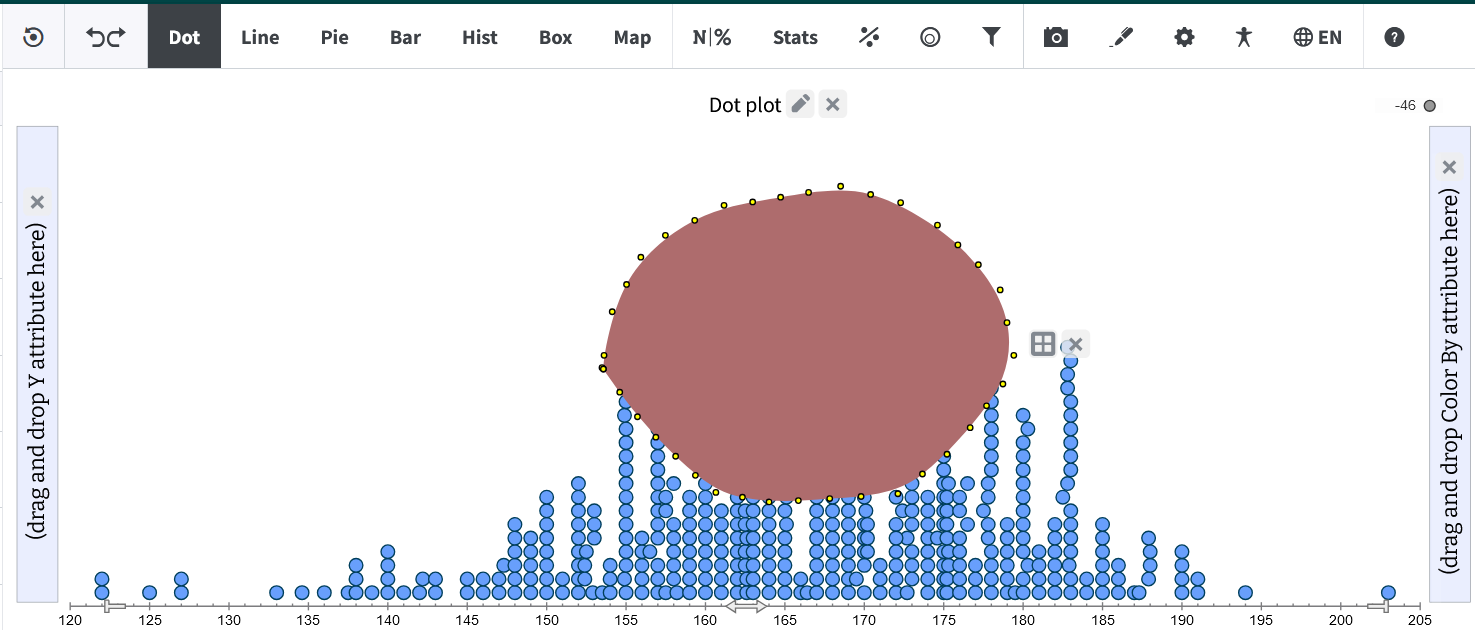
The user can choose to fill the loop with any desired color. -
Enhanced Color Picker:
The color picker has been enhanced to include a consistent design across different locations. The new components include a gradient selection area for choosing a wide range of colors, a spectrum bar for quick access to various hues, and an input field for hexadecimal color codes.
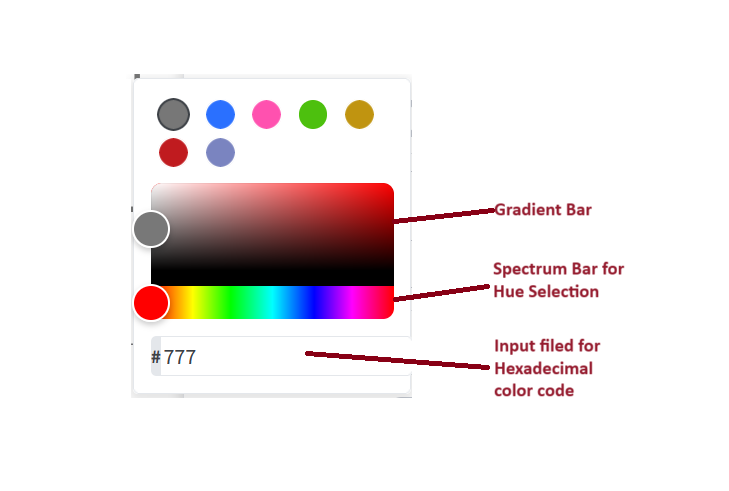
This flexibility allows users to select precise colors more easily compared to the standard palette. However, this is a work in progress and we will continue iterating on this design in future releases. -
Diversified Language Support:
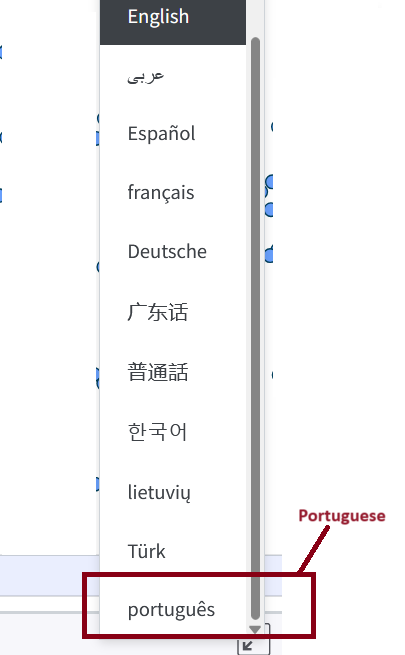
In our continued effort to make Tuva tools accessible to users from diverse linguistic backgrounds, we have added support for the Portuguese language. Additionally, we have filled in the missing translations for Mandarin.
Enhancements to the Tuva Jr.:
- Common Denominator for Fractions: We enhanced the display of fractional values on the axis by ensuring that axis tick marks now share a common denominator, even when the fractions have different denominators.
-
MathJax Support:
We have added MathJax support to Tuva Jr., ensuring it renders correctly in all locations across the Play and Plot views.
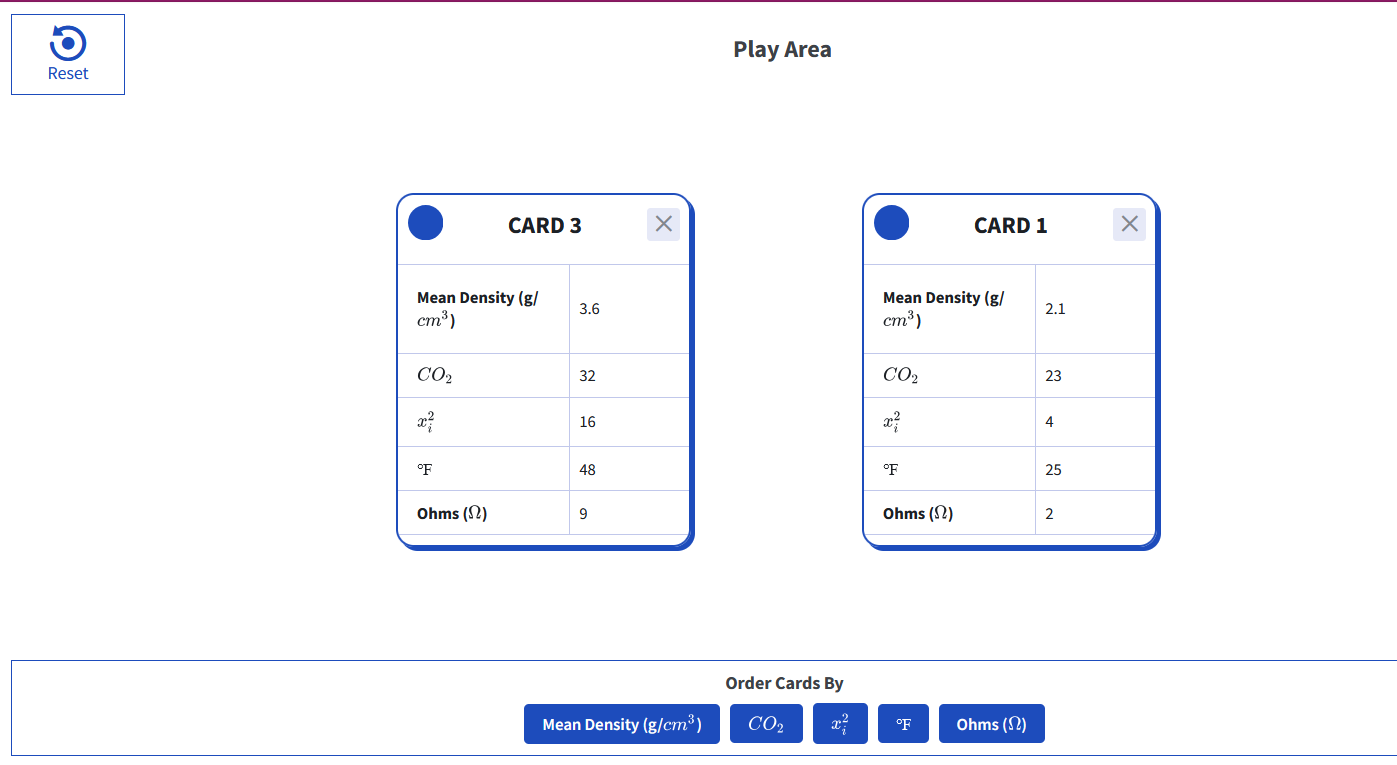
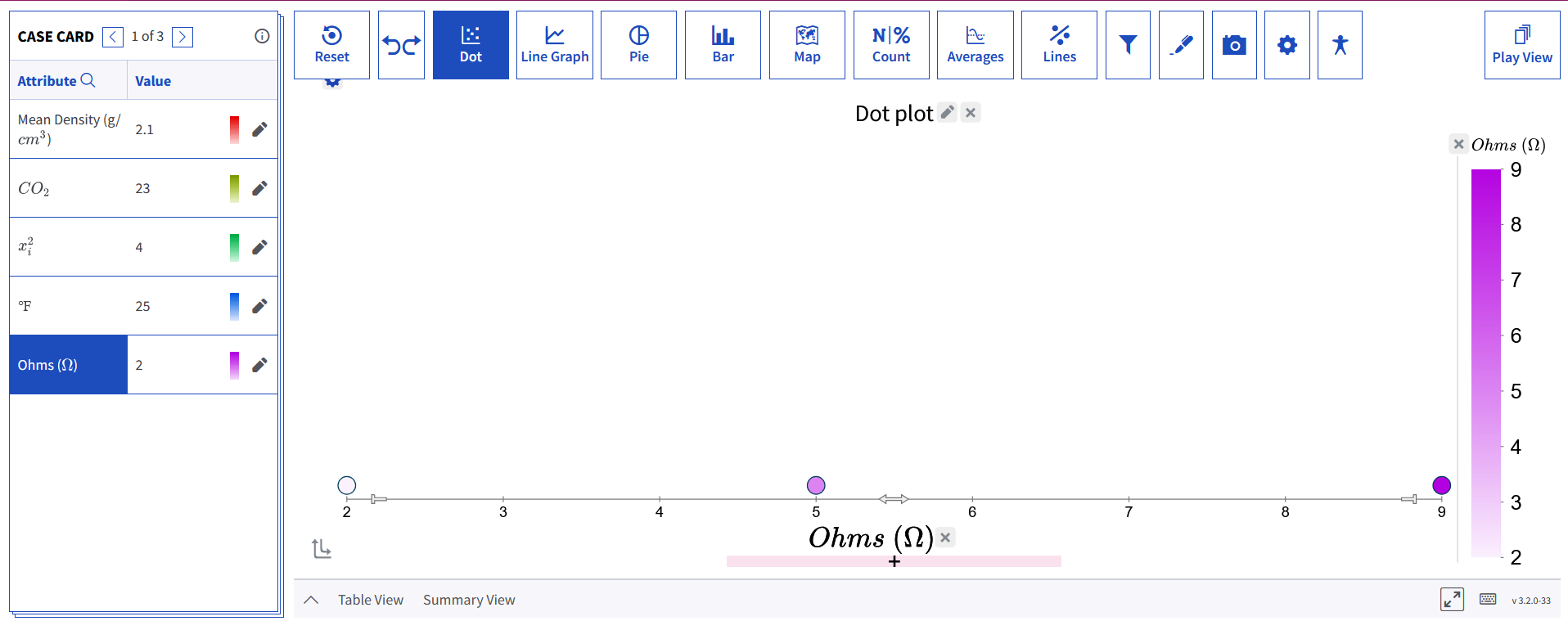
-
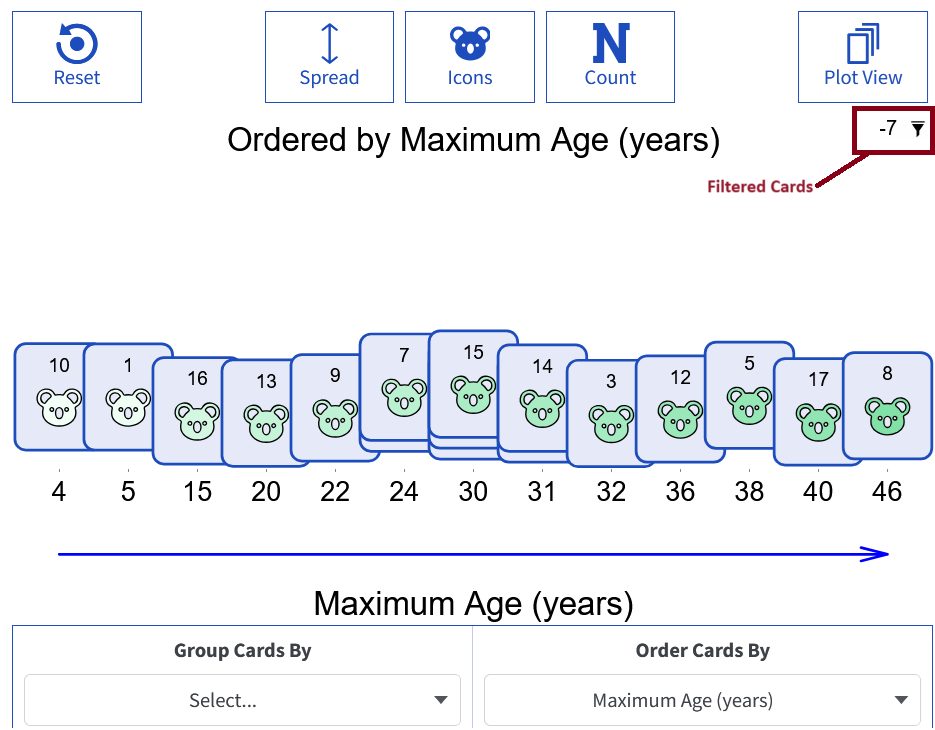
Filtered Cards Display:
Filtered cards in the Plot View are now displayed in the top right corner of the Play View, ensuring consistency with their display in the Plot View.
Accessibility Enhancements:
In our ongoing commitment to making the Tuva tools accessible, we have implemented the following accessibility changes.
- Accessibility Support for Draw Tools: We have added the ability to include alt text for annotation items as part of the saved plotState. Upon restoration, the alt text value is used as the aria-label.
- Returning Focus After Closing Exposed UI Component: For certain UI components, pressing the escape key to dismiss the component will now return the focus back to the original UI component.
- Communicating Disabled States: There were a few areas where we were not communicating whether a button or menu item was disabled. We have now added the aria-disabled attribute where appropriate.
- Color Picker Accessibility Update: We have updated the color picker to ensure it is no longer a keyboard trap for users who navigate Tuva Tools exclusively with keyboards. Previously, the color picker disrupted the tab order, causing it to jump to the web browser URL when tabbing out. Now, when focused on the color picker, pressing the tab key will keep the user within the color picker until they make a choice or exit using the escape key.
Bug Fixes:
We identified and fixed the following bugs:
- Tooltip Issue: Fixed an issue in Tuva Jr. causing every other tooltip to appear while hovering over overlapping cases.
- Performance Issue: Resolved a performance issue when removing an attribute from the axis while having an attribute on the legend.
- Trailing Zeroes Issue: Corrected a bug where cases with trailing zeros had to be encountered before other decimals (e.g., $1.00 then $1.23 worked; $1.23 then $1.00 did not); now, both orders work and are no longer dependent on case order.
- Line Graph Issue: Fixed an issue preventing the line graph from drawing on top of the cases when the plot state initially loads.
- iPad Issues: We addressed several spacing issues unique to the iPad, specifically, enlarged buttons. Occasionally, these larger buttons became misaligned, so we have fixed these spacing issues.